
Home Blog Page 8

My Journey Event in MeloJam

My Journey Event in MeloJam

Get ready for an exciting adventure in the world of MeloJam!

Are you ready to join this journey together?

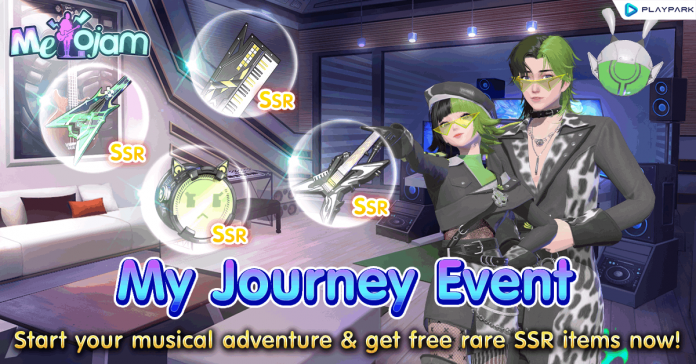
Melody is here to introduce the special My Journey event, packed with exclusive rare rewards, cute fashion outfits, and stylish musical instruments. Let’s dive into the details! ^^

Event Duration : October 21, 2024 – November 10, 2024
Participation Requirements : Character Level 1 or above (Players must create a character before joining the event)

How to Join the Event:

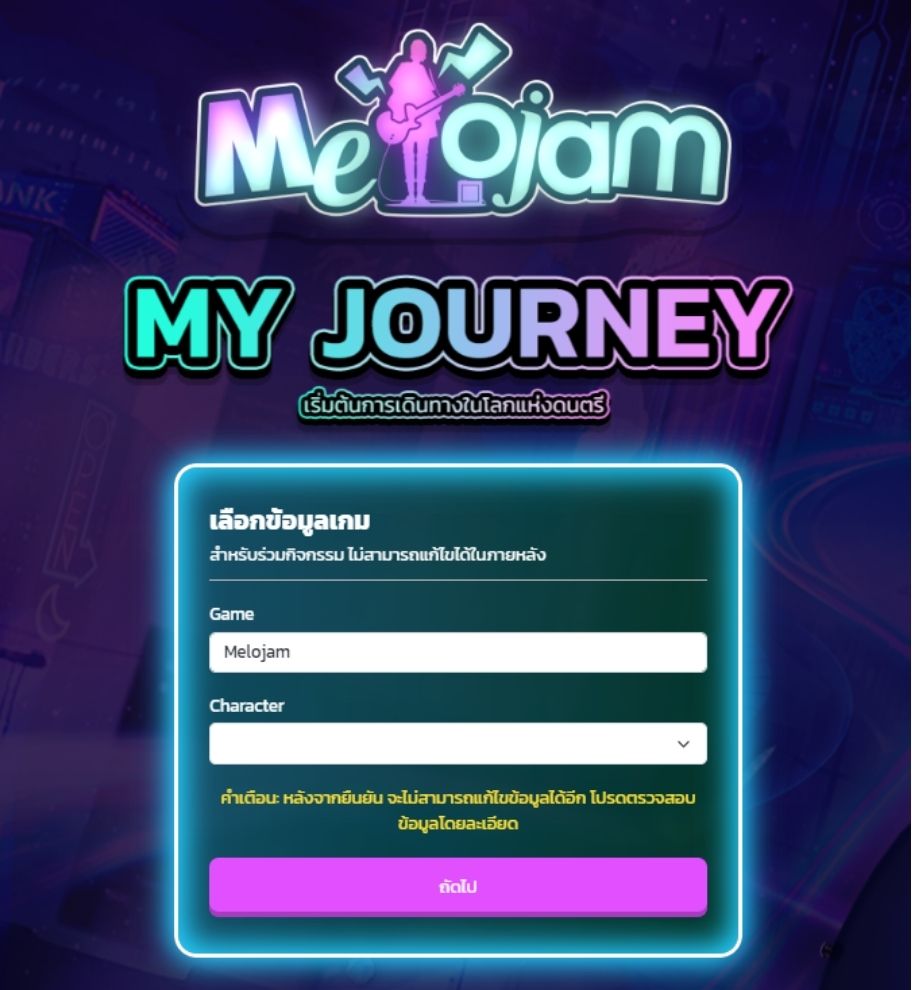
  1. Click the button to enter the My Journey event. Log in with the ID that you’ve created a character for in the game MeloJam.

    2. If this is your first time logging into the event, you’ll need to fill in your player information.
3. After filling in and confirming your details, you’ll receive daily quests for 14 days. Each day offers different quests to complete.
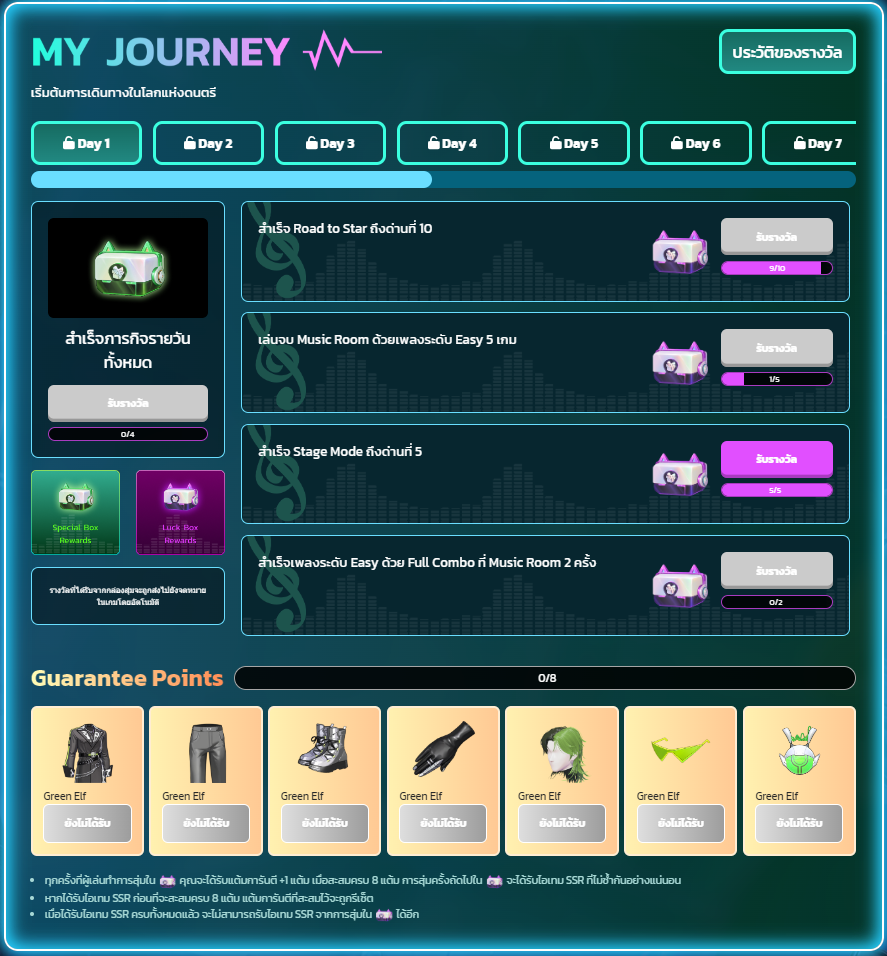
When you complete all the quests, you can open the Lucky Box to win in-game prizes (highest prize: 1 piece of the fashion set). If you complete all 4 quests that day, you can open the Special Box to win additional in-game prizes (highest prize: musical instrument skin).

Quest and Rewards:

Lucky Box
Each completed quest will reward you with a Lucky Box, where you have the chance to get fashion outfits and other items. Don’t worry if you don’t receive any fashion outfits at first—you are guaranteed to get one every 8th time!
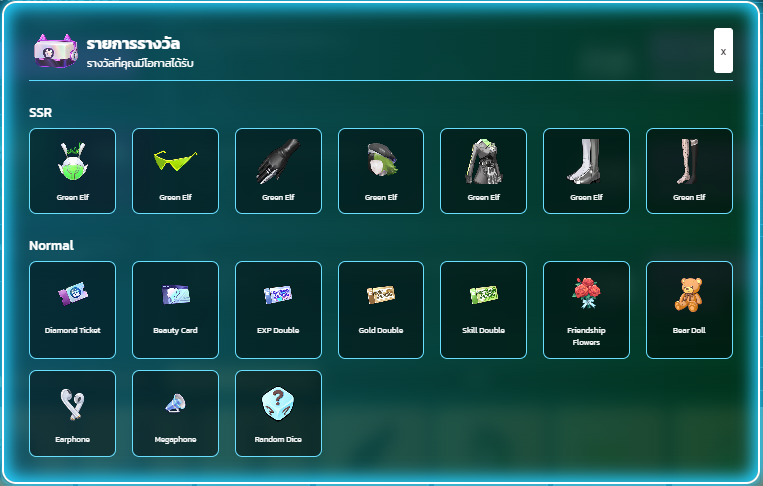
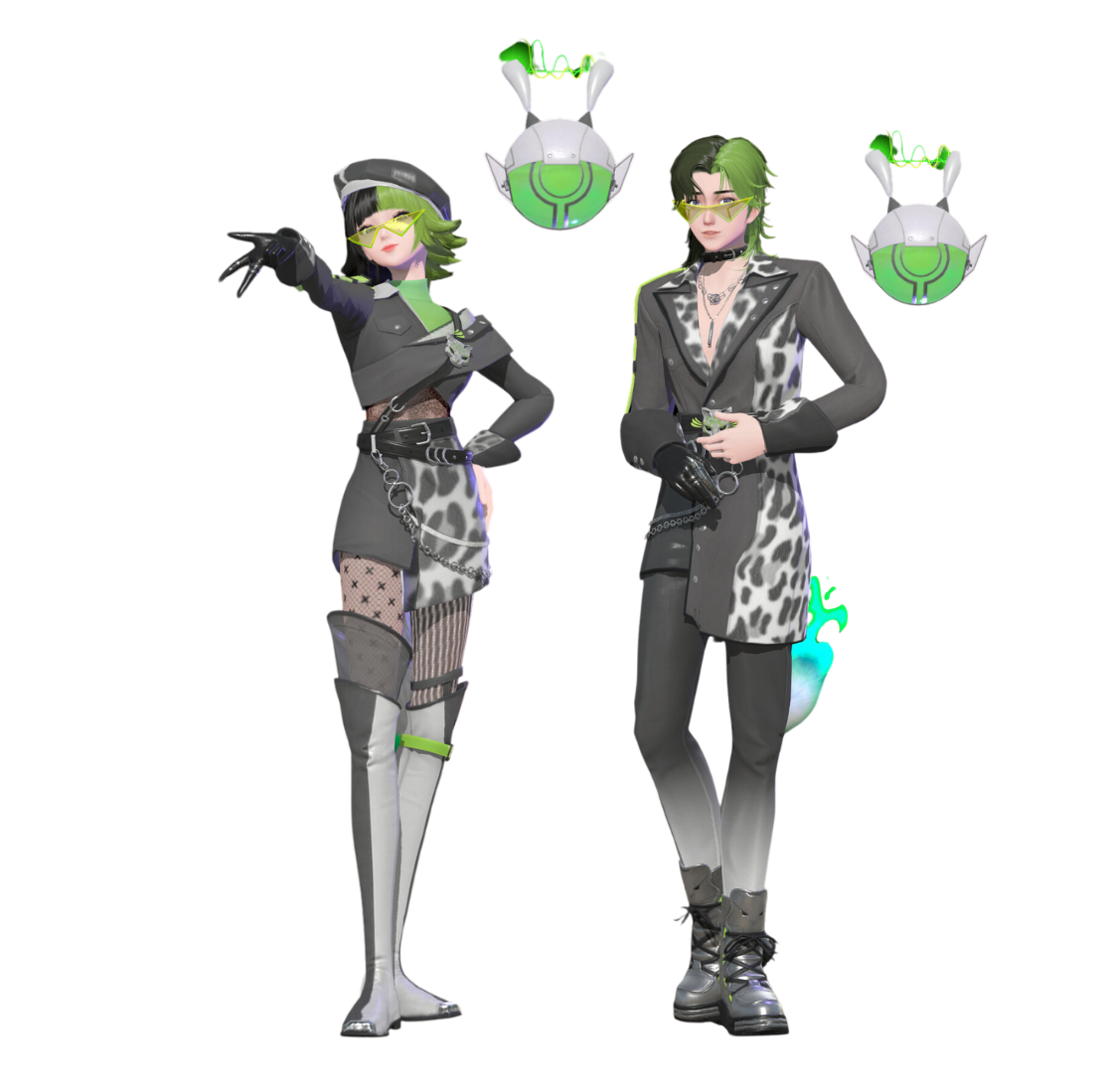
  • Green Elf outfit (SSR level) – 7 pieces in total
  • Every 8 attempts guarantee one random SSR piece.
  • You will not receive duplicate SSR outfits.
  • If you get an outfit before the 8th attempt, the guarantee will reset (and the count starts over).
Special Box
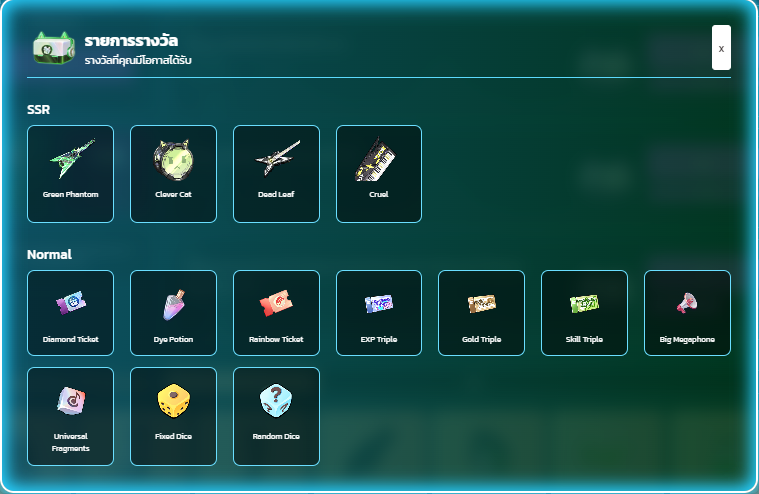
Complete all quests for the day, and you’ll receive a Special Box, giving you a chance to get SSR-tier musical instruments and other exclusive items.
Instrument Box
Finish all 14 days of quests, and you’ll be rewarded with an Instrument Box, which guarantees one SSR-tier instrument. You’ll have a chance to receive one of the following:
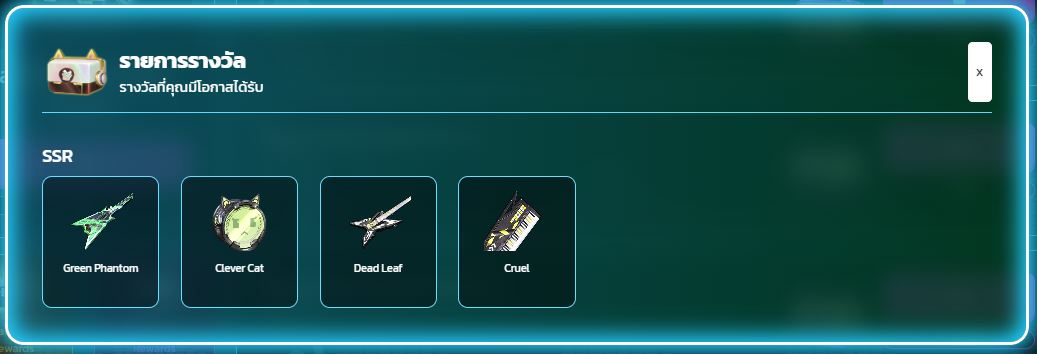
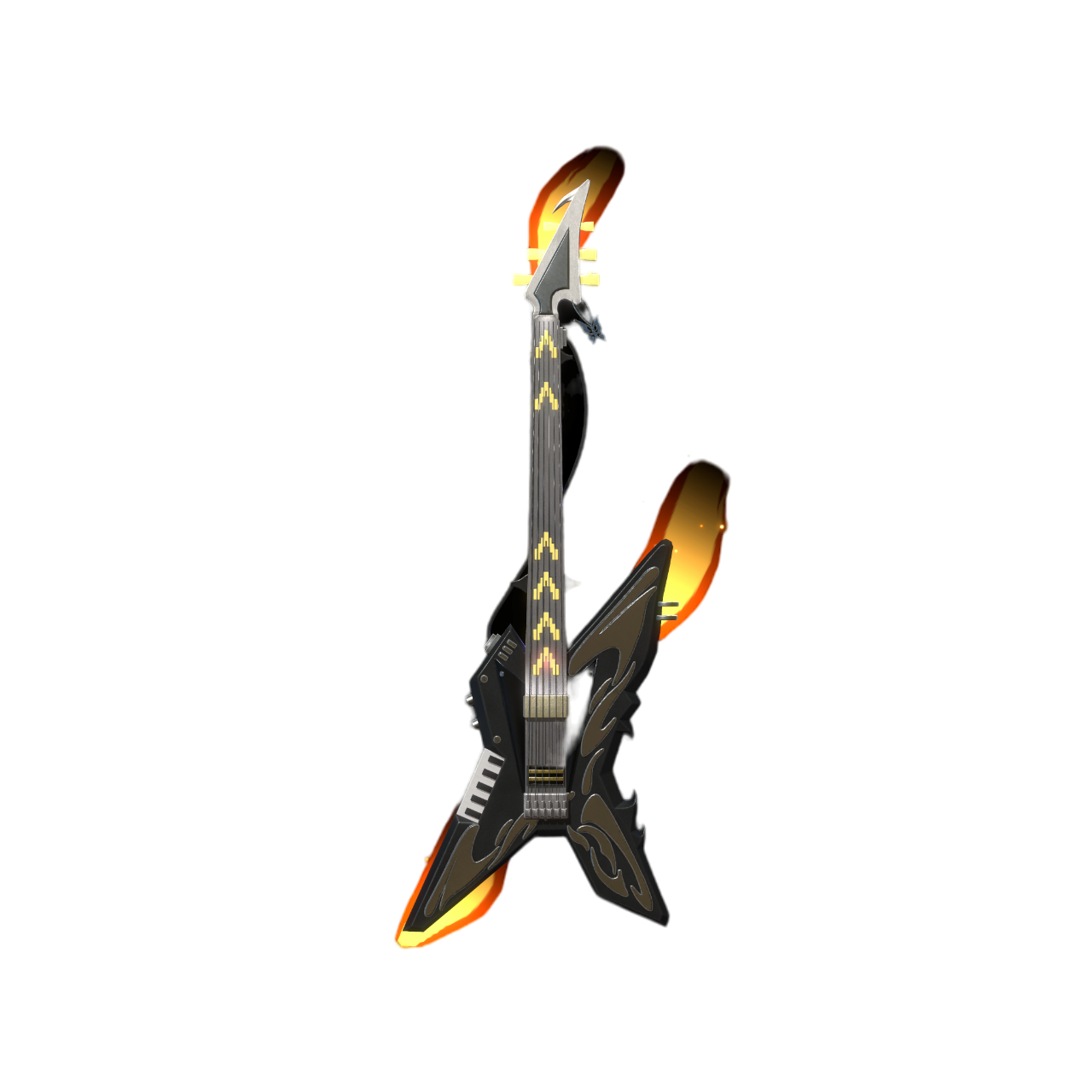
Dead Leaf GuiTar
Cruel Keyboard

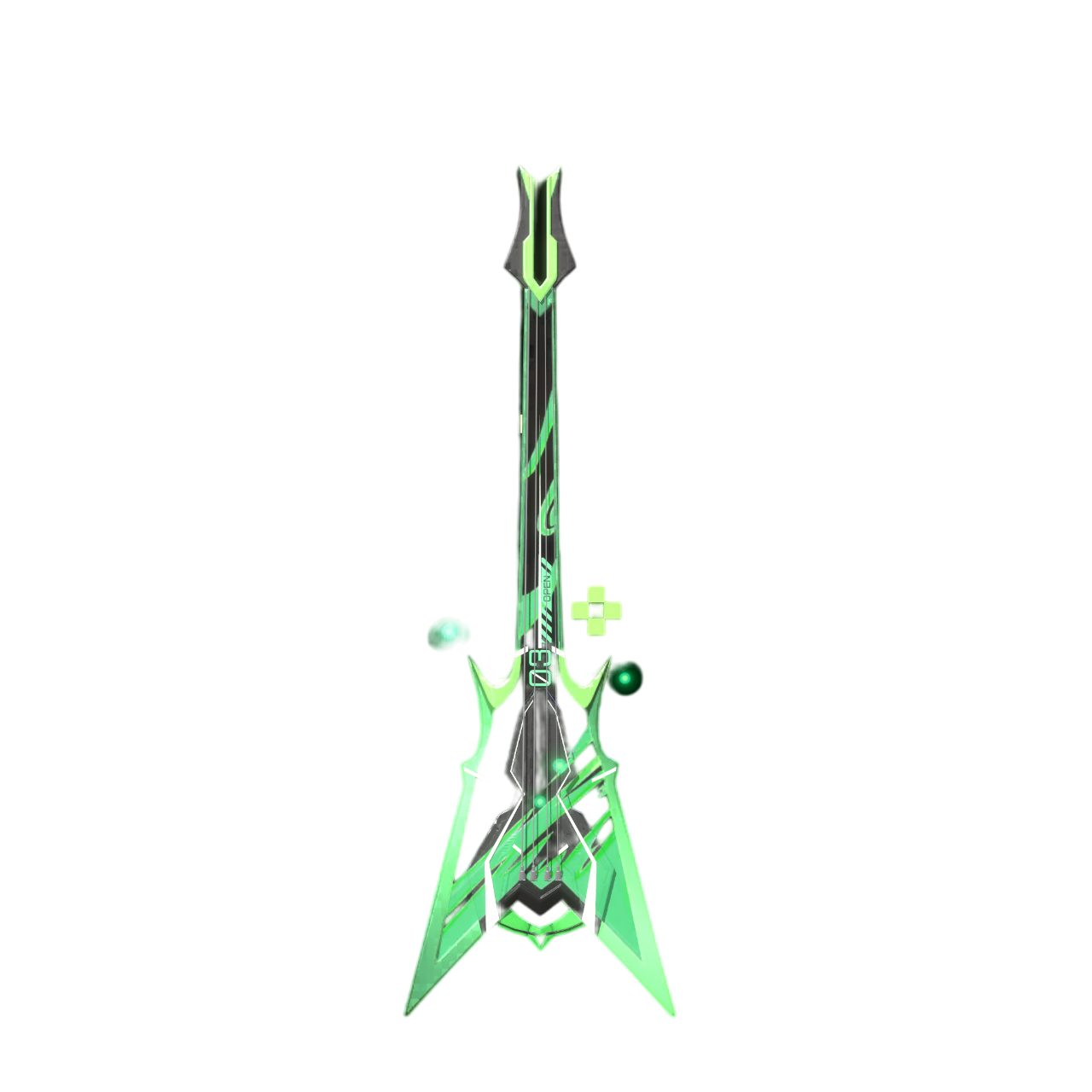
Green Phantom Bass

Clever Cat Drum


Unlocking Daily Quests

  • Daily quests unlock according to the date of the event (GMT+7). For example, on the first day of the event, only Day 1 quests will be available. Your day unlocks based on when you first log in.
    • Example: If you log in for the first time 3 days after the event has started, you will begin on Day 1.
  • Once you complete Day 1, you can immediately unlock Day 2 quests and claim your rewards. Similarly, completing Day 2 will unlock Day 3, and so on.
    • You can unlock the Day 2 quest immediately after completing the Day 1 quest and receiving all the rewards.
    • You can unlock the Day 3 quest immediately after completing the Day 2 quest and receiving all the rewards.

Final Note : Melody encourages everyone to complete quests daily to ensure you get the full fashion set! Let’s show off our looks in-game!

How to Adjust the Delay and Speed of Gameplay in MeloJam

How to Adjust the Delay and Speed of Gameplay in MeloJam

Adjusting the Delay
Setting the delay is crucial for MeloJam players. For example, some players might use Bluetooth headphones, which can cause the timing of the button presses and music to be off. Adjusting the delay will help enhance the gameplay experience when playing instruments.

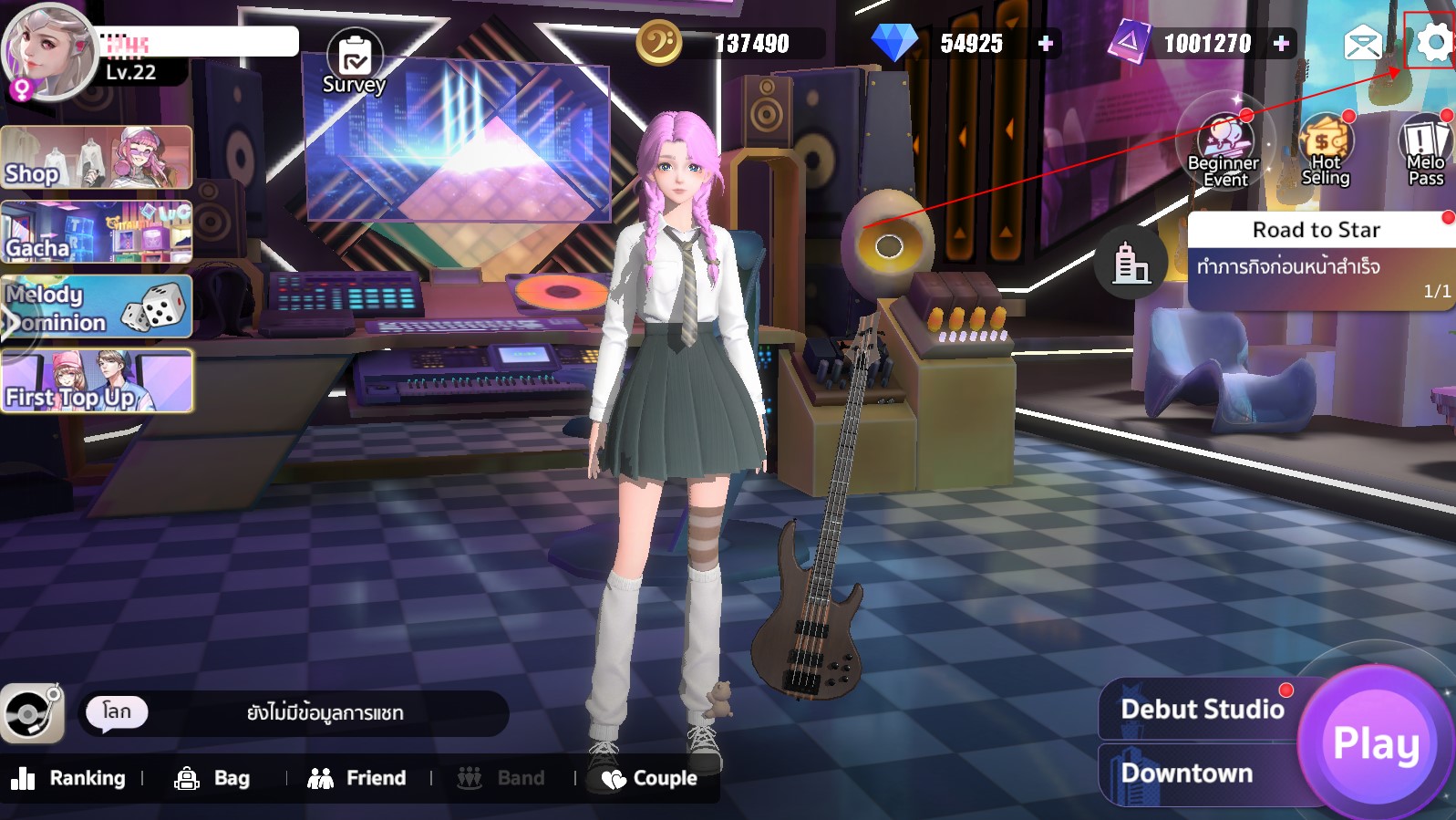
  • Go to the settings menu within the game.
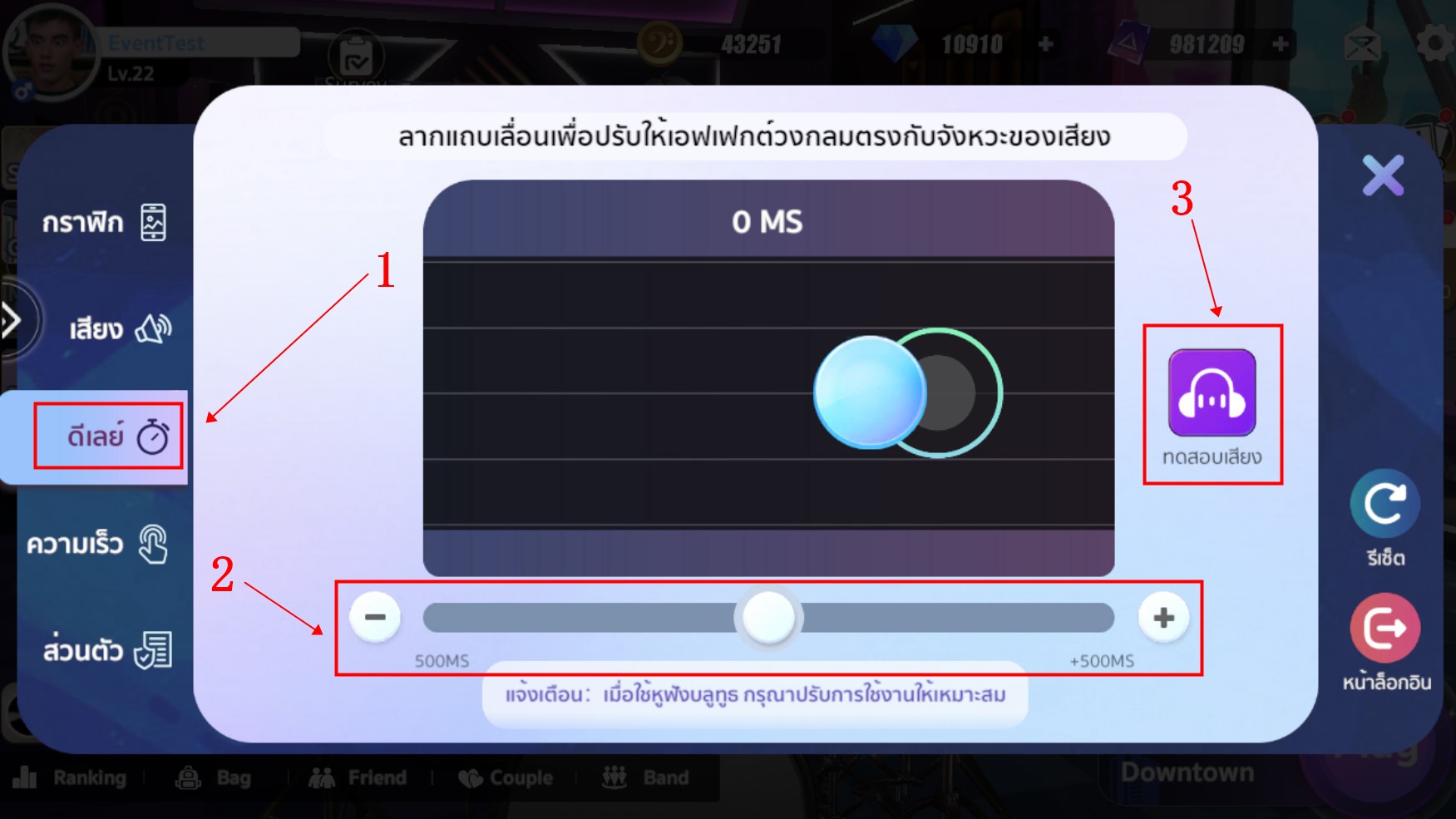
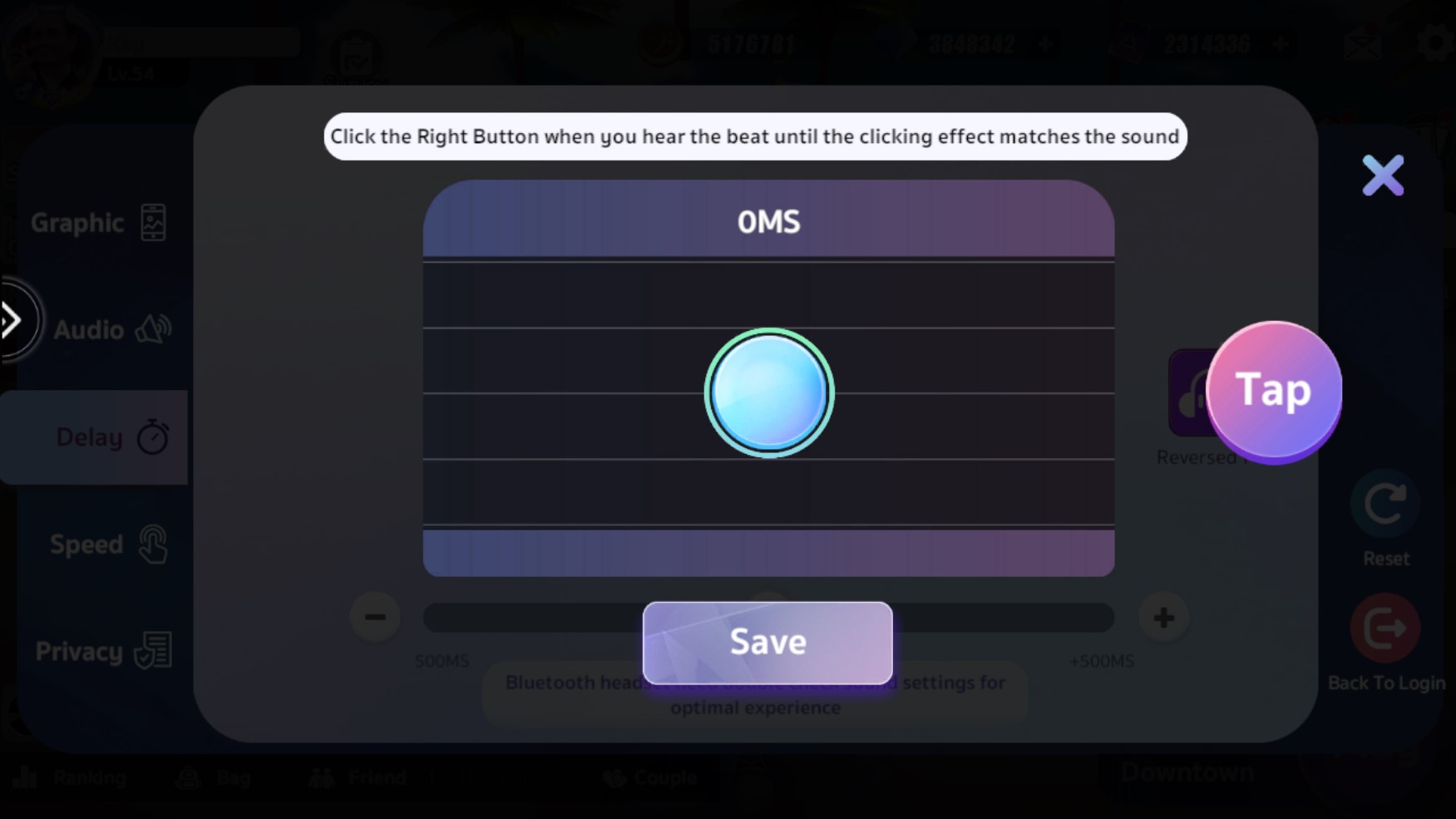
  • Once inside, select the “Delay” option. You’ll see a settings menu where you can adjust the delay by moving the “+” or “” slider at the bottom. Additionally, you can press the “Sound Test” button (the purple button) for advanced settings by listening to the sound.
    When you enter the “Sound Test” menu (the purple button), you will need to listen to the sound and press the circular button on the right in time with the rhythm. After pressing, the system will automatically calculate the delay for the button. Then, press “Save” to save the settings.

Adjusting the Speed
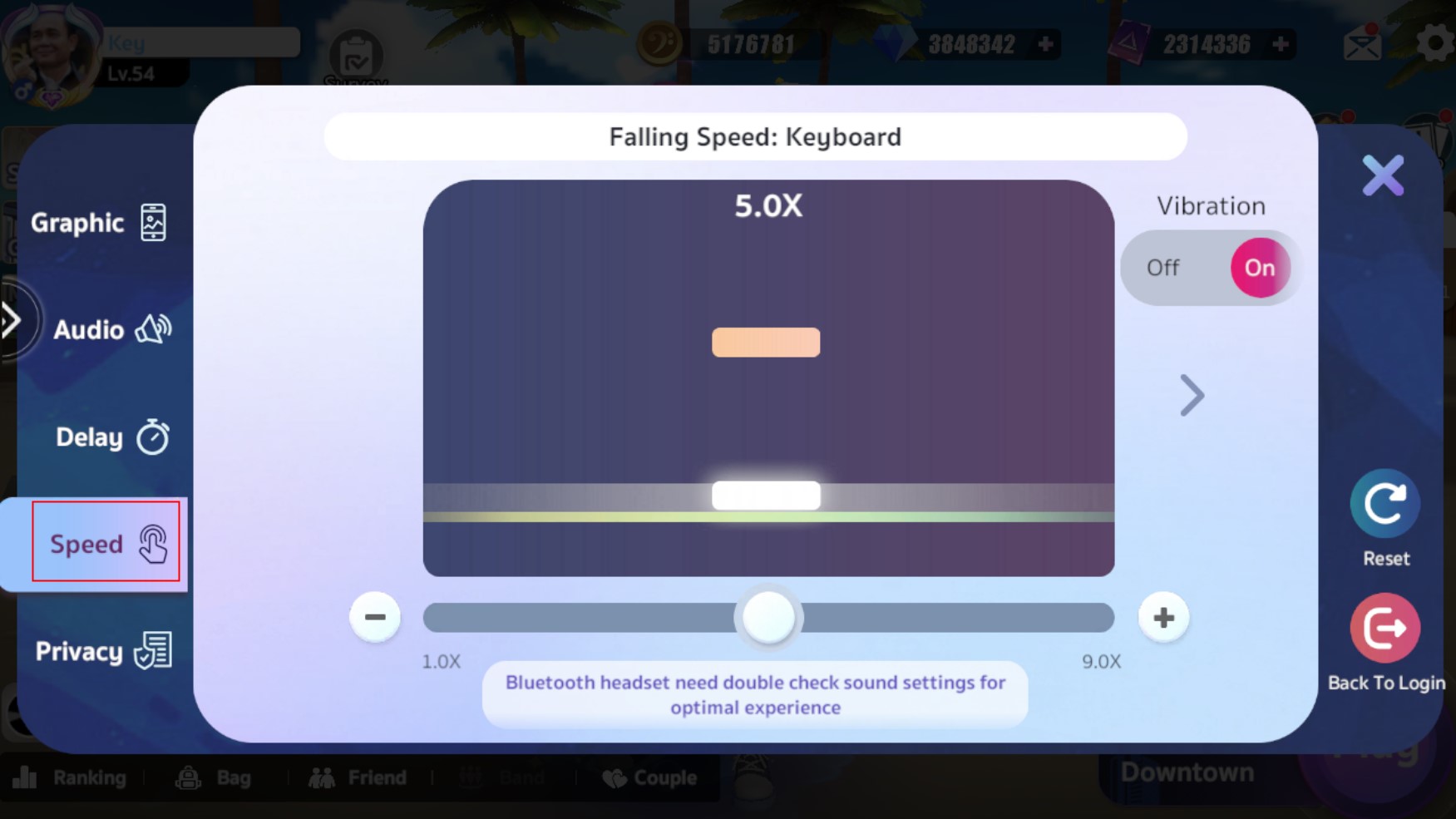
The speed setting adjusts the button-press speed without affecting the music’s tempo. It depends on how fast you prefer to press the buttons.You can adjust the speed for three instruments: Keyboard, Guitar, and Drum. The speed can be set from 1x to 9x, depending on your preference (choose the speed that suits you best).
How to Redeem In-Game Item Code in MeloJam

How to Redeem In-Game Item Code in MeloJam

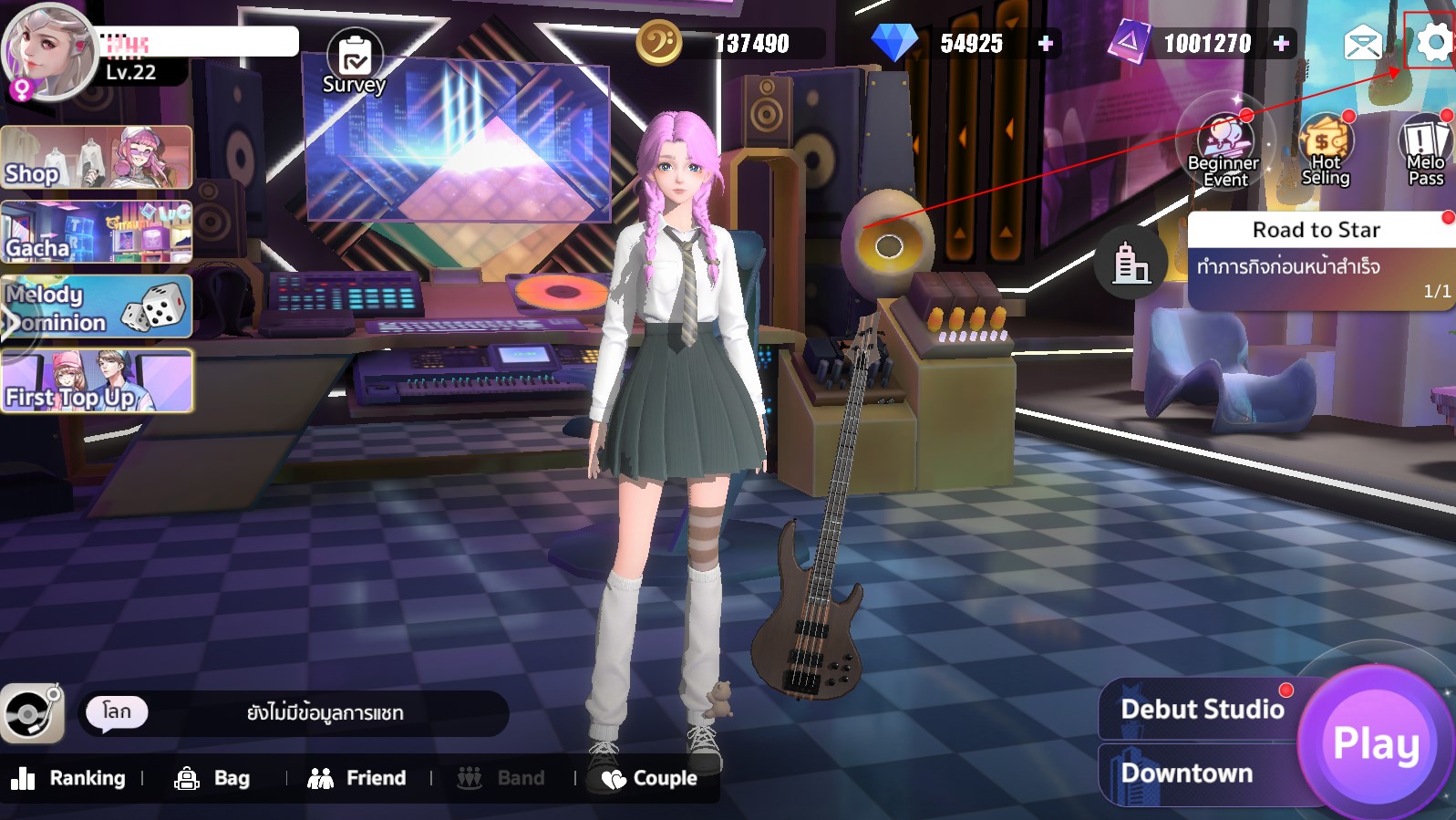
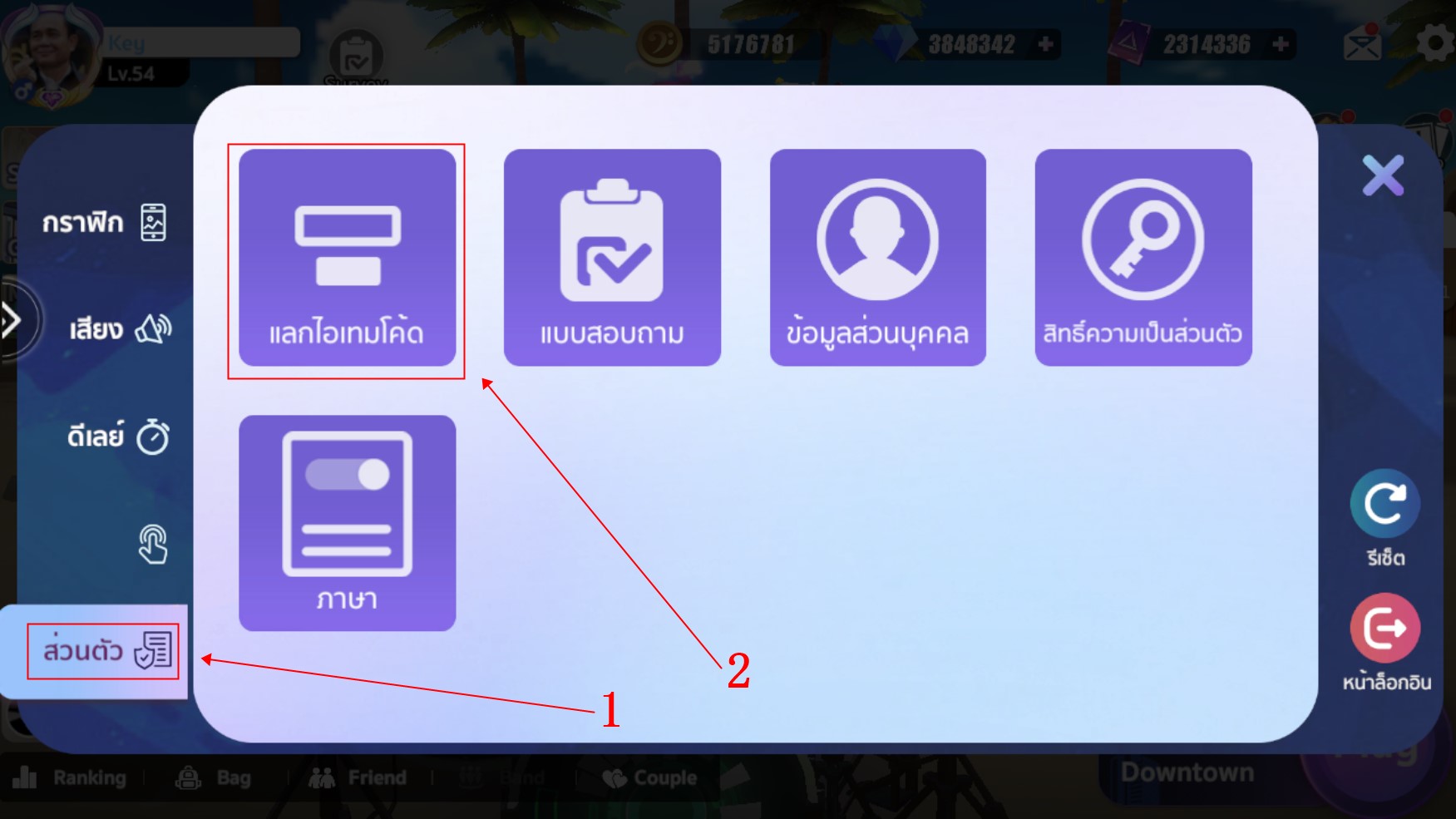
  1. Click the settings button within the game.
  2. Then select the “Personal” section on the left side, where you’ll find the “Redeem Item Code” button
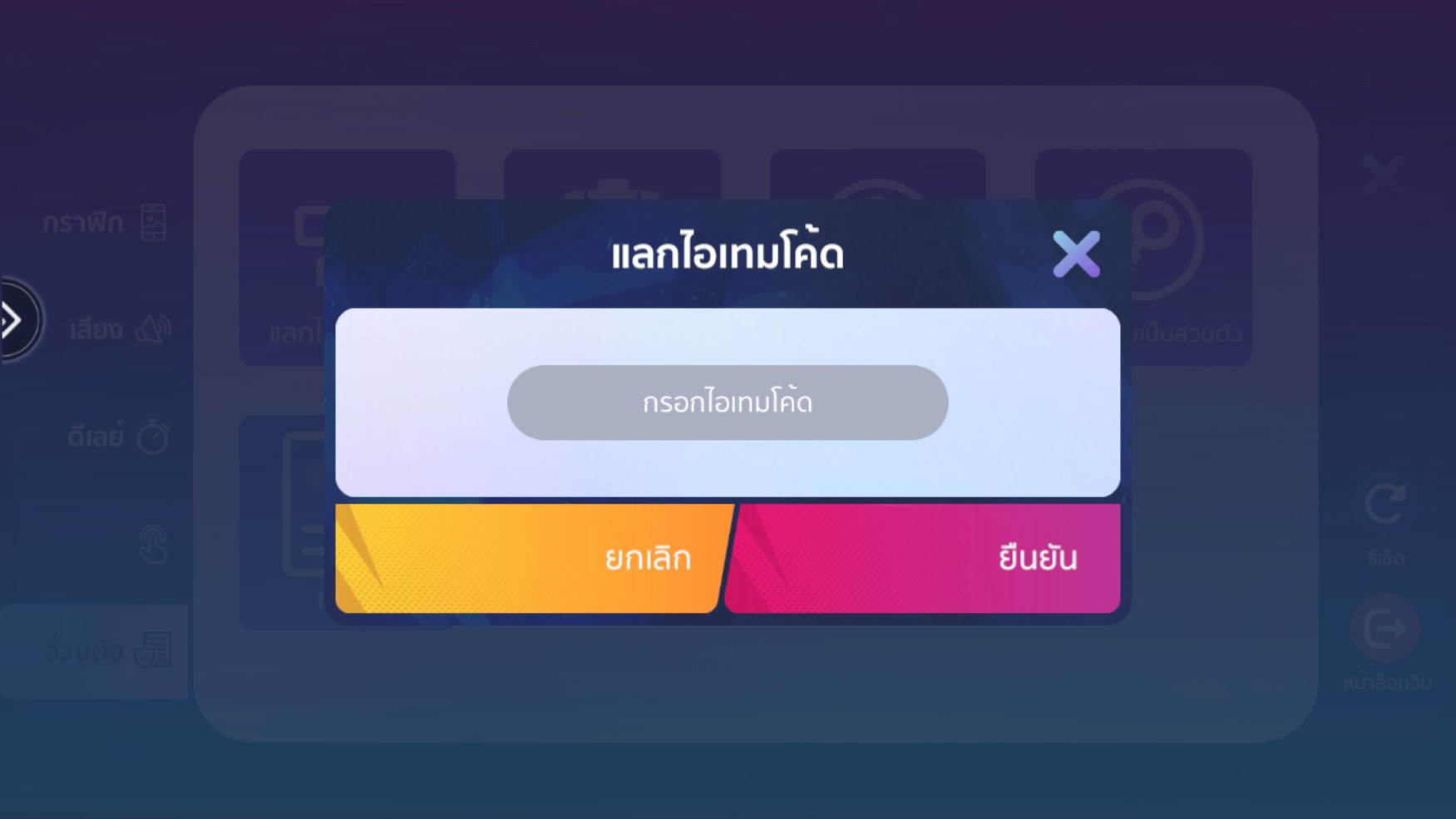
  3. Enter the item code received from an event or promotion.
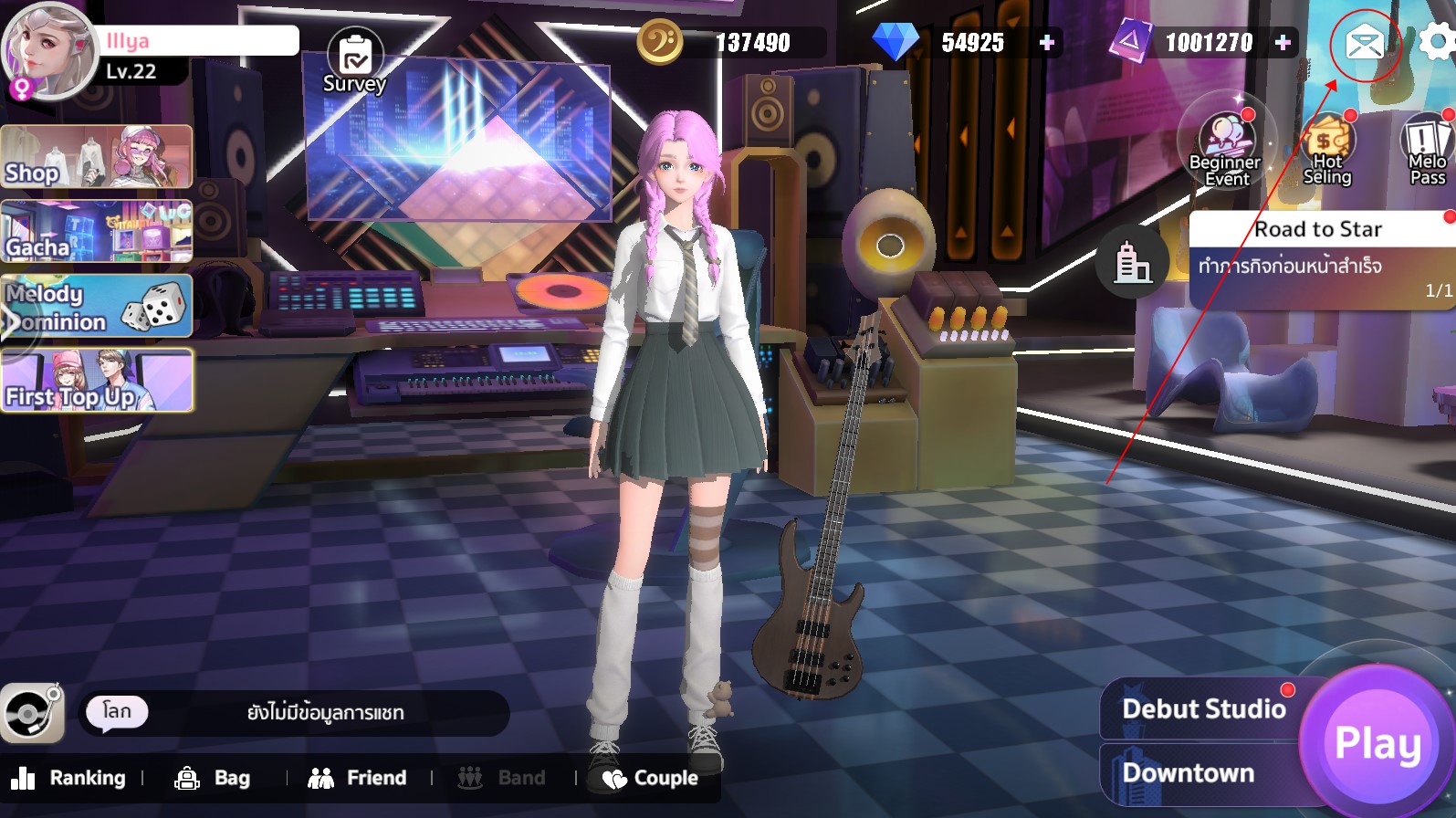
  4. Once the code is entered, the item will be sent to your in-game mailbox

How to Check and Receive Item Code

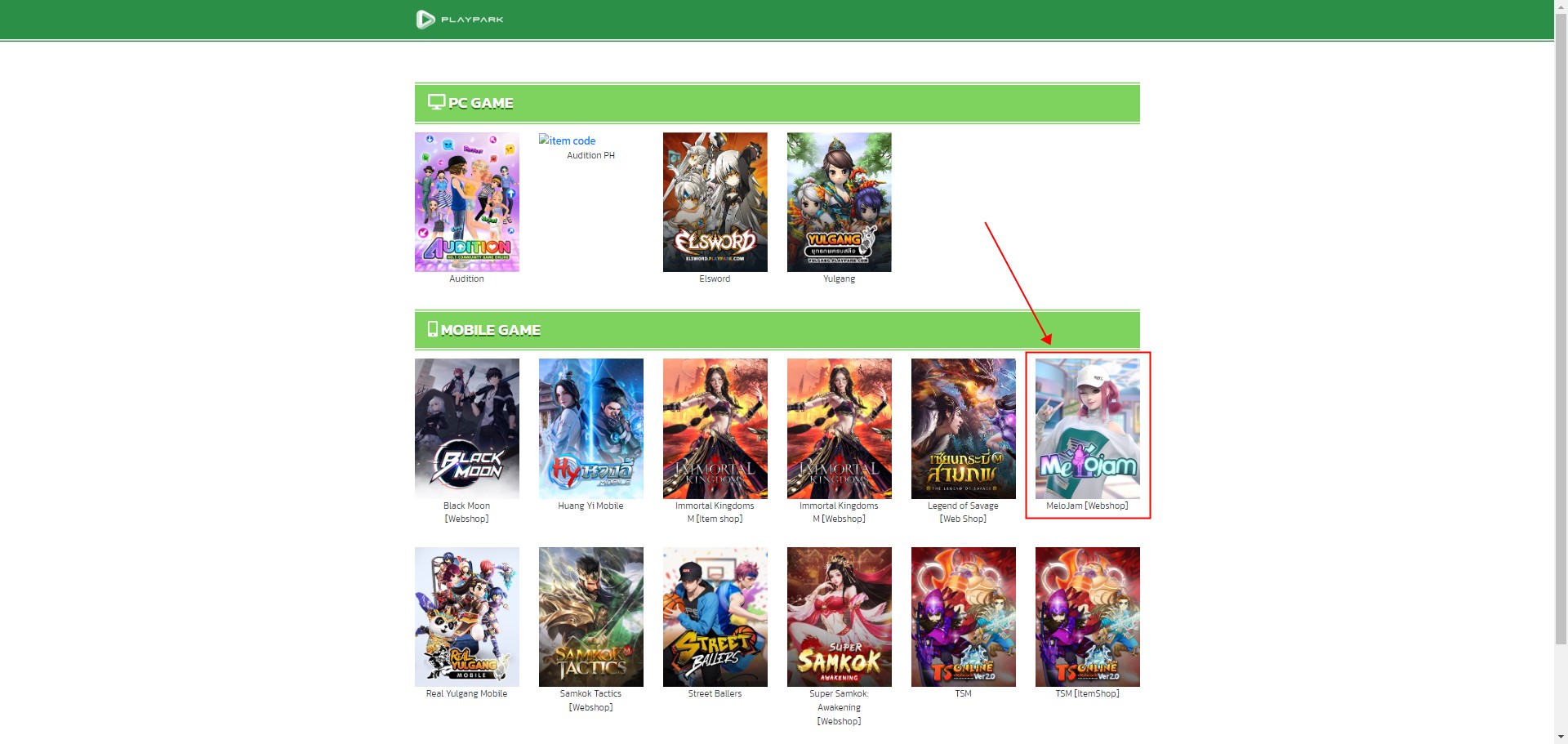
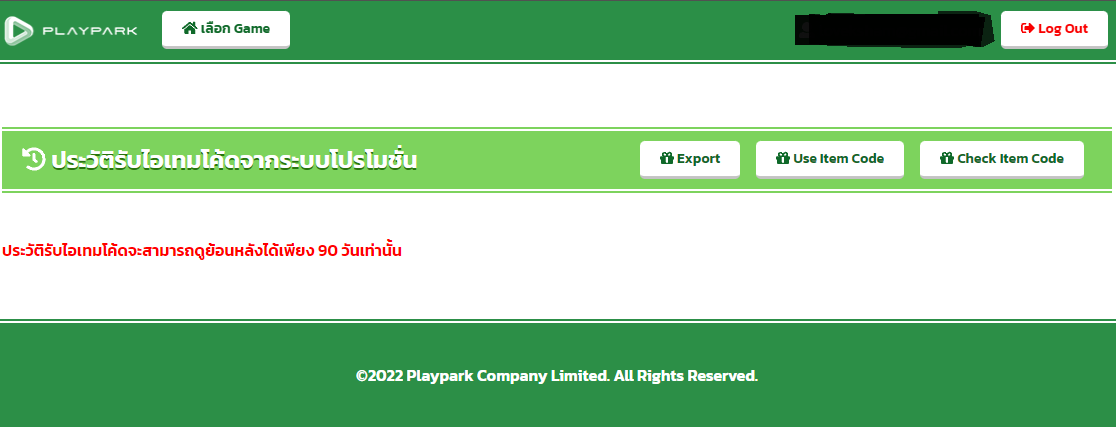
  1. Go to the promotion page of the event you participated in and click on “Check Item Code.”
    SSA ปุมตรวจสอบไอเทมโค้ด
  2. Select the game, MeloJam
  3. Select and enter the ID you used to participate in the promotion (make sure to choose the correct ID type that matches the promotion).
    playparkID
  4. Once you successfully log in, your item code history will be displayed.
    เช้คไอเทมโค้ด

Couple System in MeloJam

Couple System in MeloJam
to those who are still single, pay attention!

It’s time to find your match! Melody is here to introduce the Couple System in MeloJam. Not only rare rewards, but you can also form a couple as Male+Female, Male+Male, or Female+Female! ^^

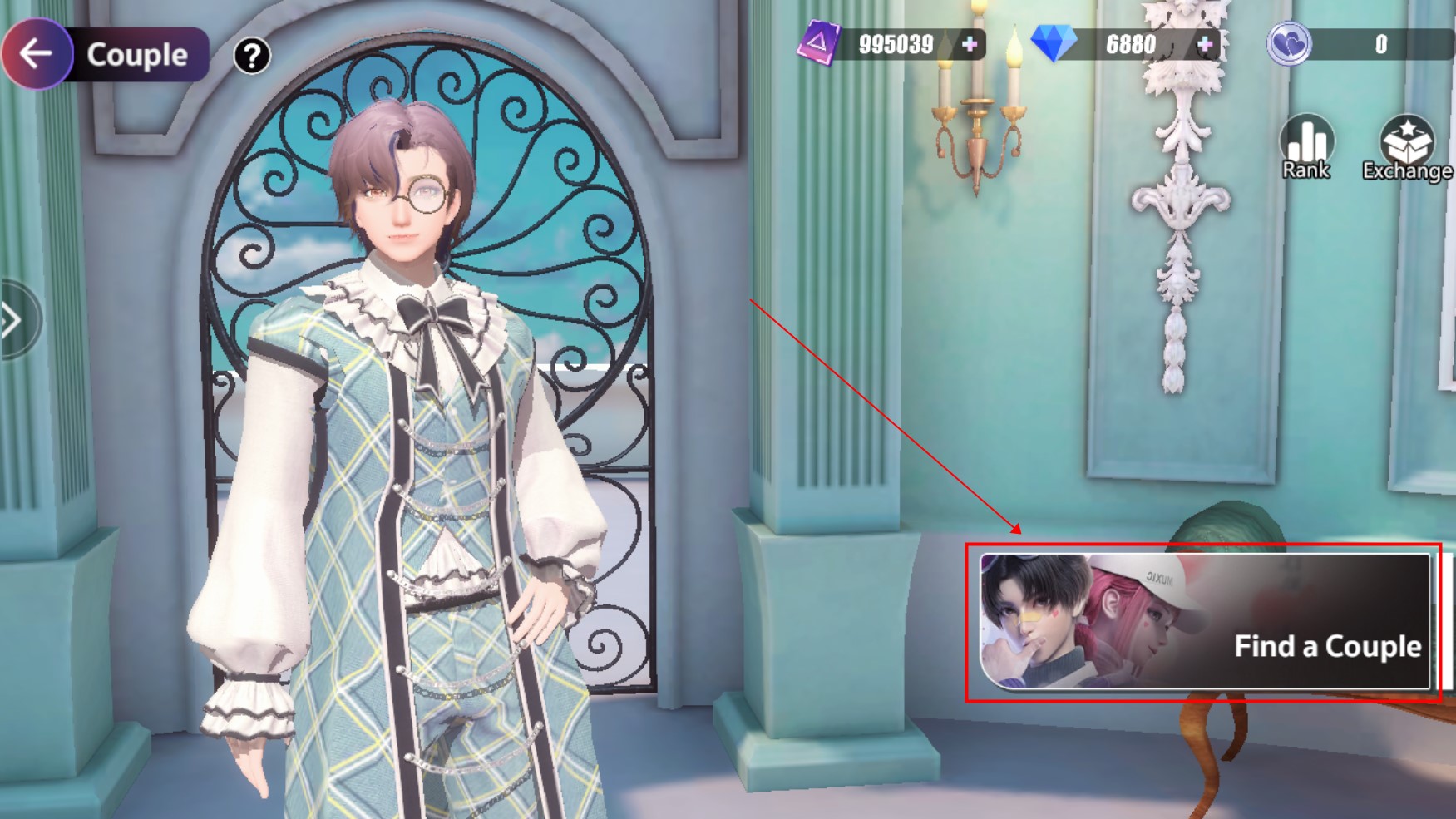
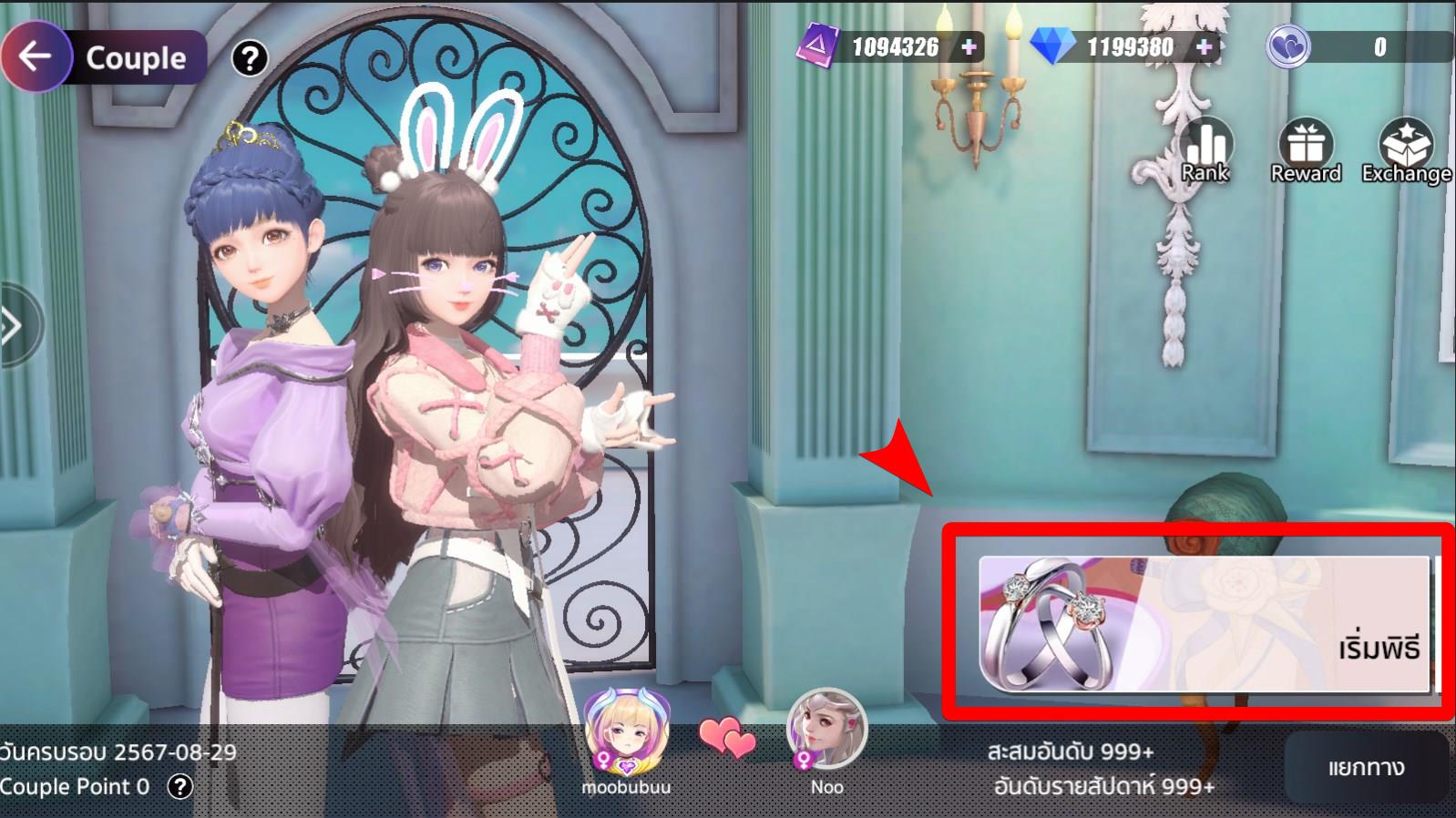
  1. Go to the “Couple” menu at the bottom of the screen.
  2. Once there, click the “Find a Couple” button to invite your partner.
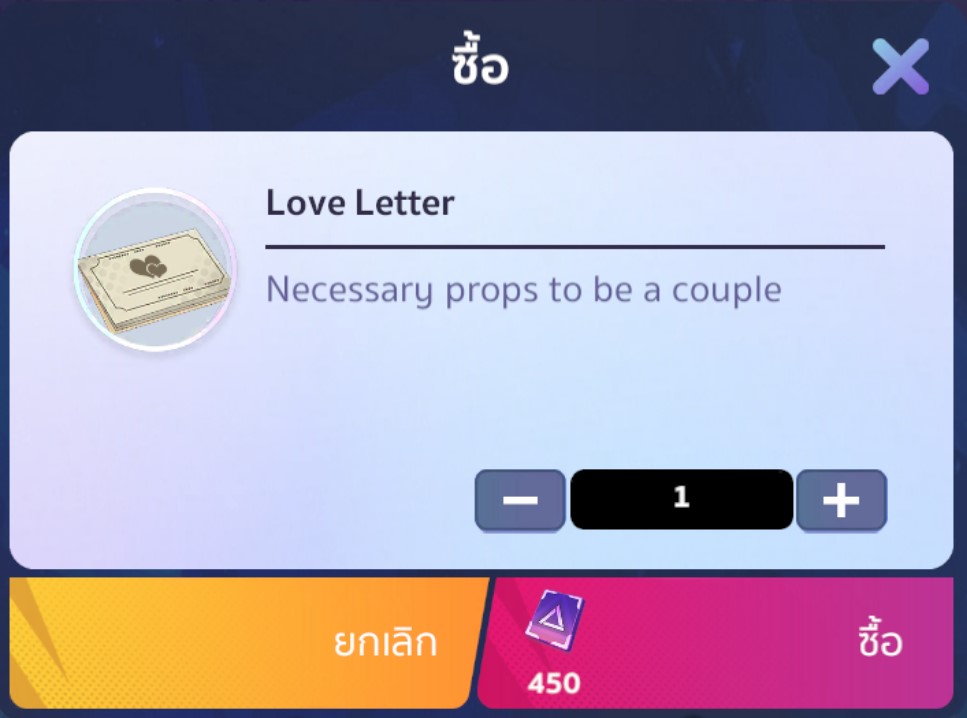
    Inviting a partner requires the Love Letter item. You can purchase Love Letter from the in-game Shop for 450 Coupons. Before sending the invitation, both characters must be friends.
    Note: There are no gender restrictions on invitations, so you can form a couple as Male+Male or Female+Female.
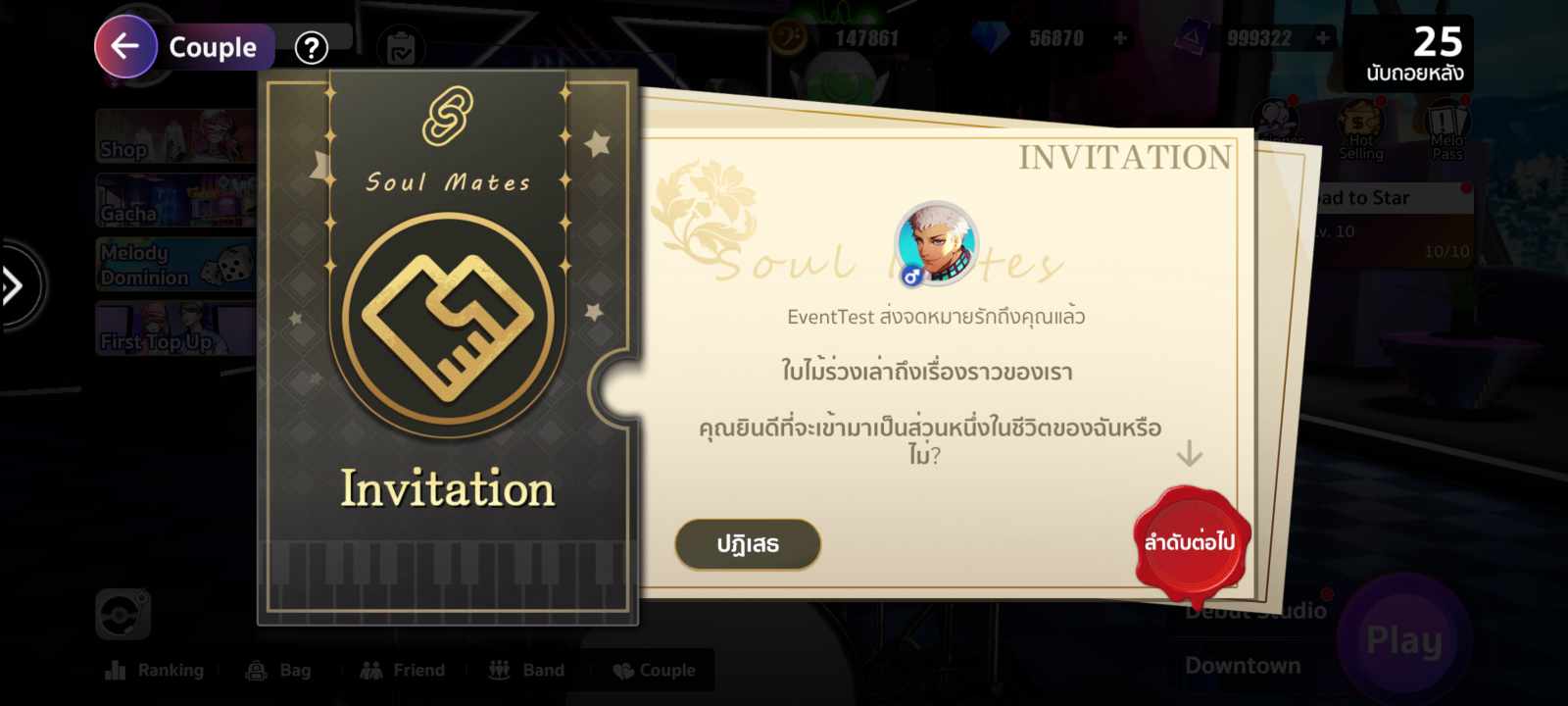
  3. After sending the invitation, the invited person will receive a Couple Invitation letter as shown.
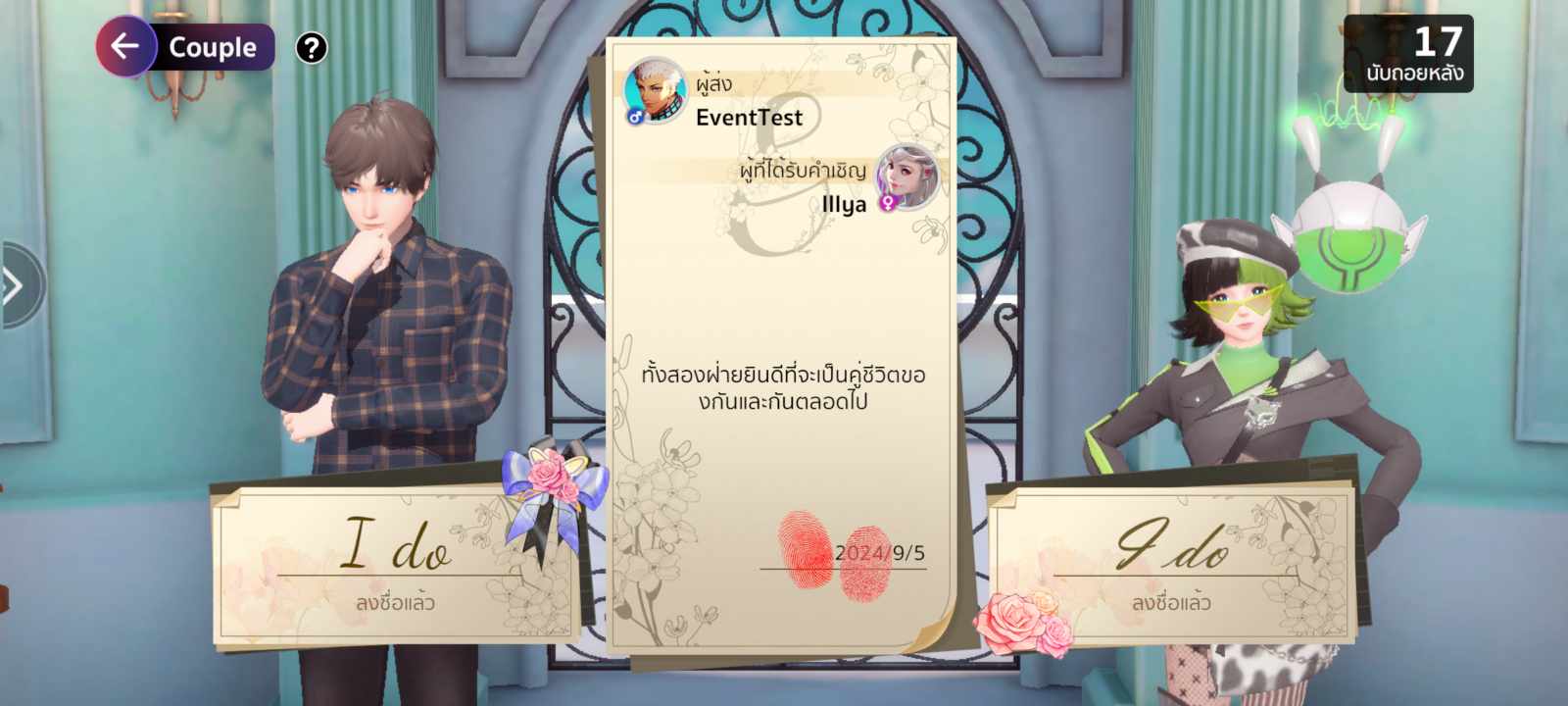
  4. Enter your fingerprint to confirm the couple status. ^^
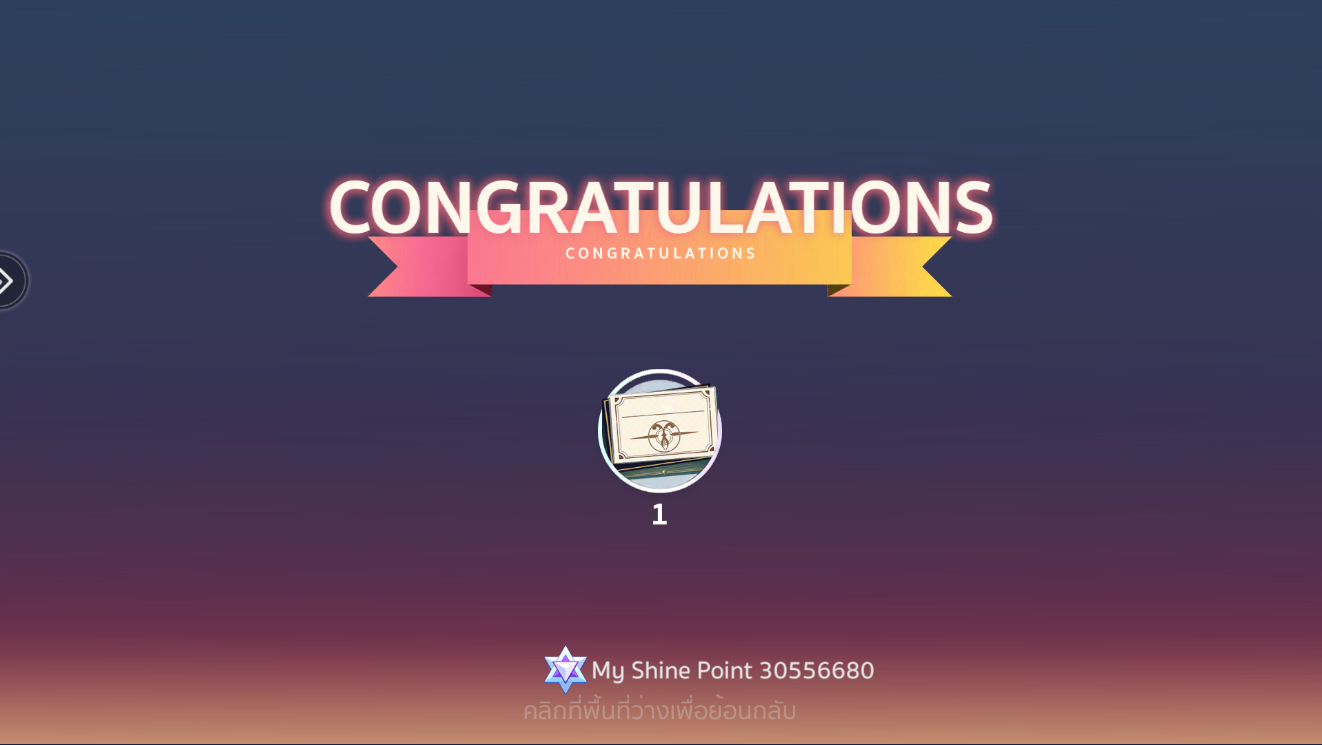
  5. Once registered, the character who used the Love Letter will receive a Ceremony Card to hold a wedding ceremony.

  6. That’s it! The couple registration is complete! ^^

Wedding Ceremony
After registering as a couple, you can proceed with the wedding ceremony under these conditions:

1. You need a Ceremony Card to hold the wedding
(received after couple registration or can be bought in the Shop for 500 Diamonds).
2. You must have at least 100 Couple Points.

Once both conditions are met, you can click “Start Wedding Ceremony” to begin the event.

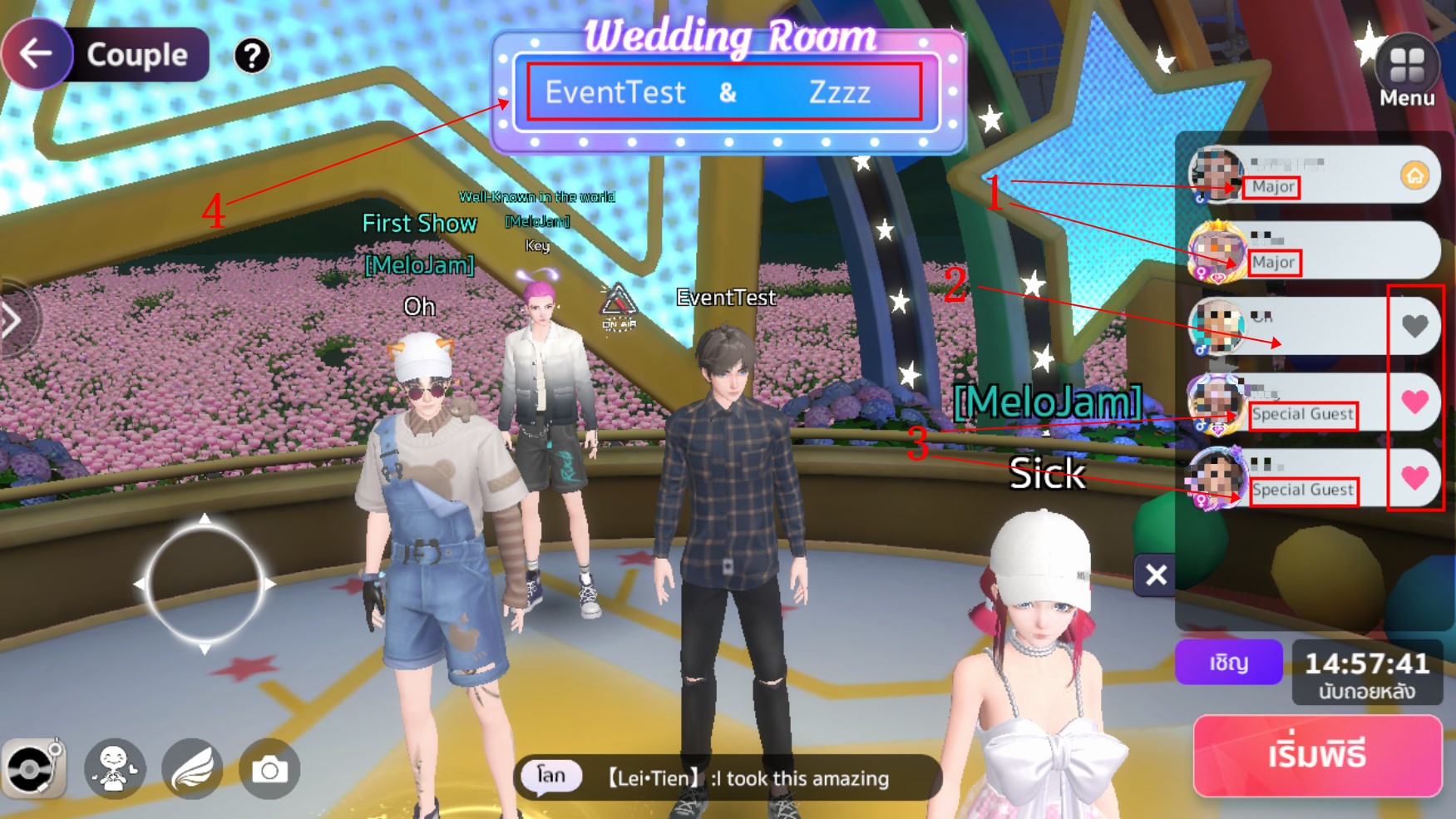
When you start the ceremony, the system will take you to the wedding ceremony area, which will have the following menus:1. The ceremony will take place in the wedding venue, where you’ll see the following: Bride and Groom of the event.
2. Guests (Bride and Groom can invite guests using the invite button below).
3. Special Guest (The Bride and Groom can assign a Special Guest by clicking on the heart icon, and they will be included in the final group photo).
4. Names of the Bride and Groom.

When everything is ready, you can start the wedding ceremony!

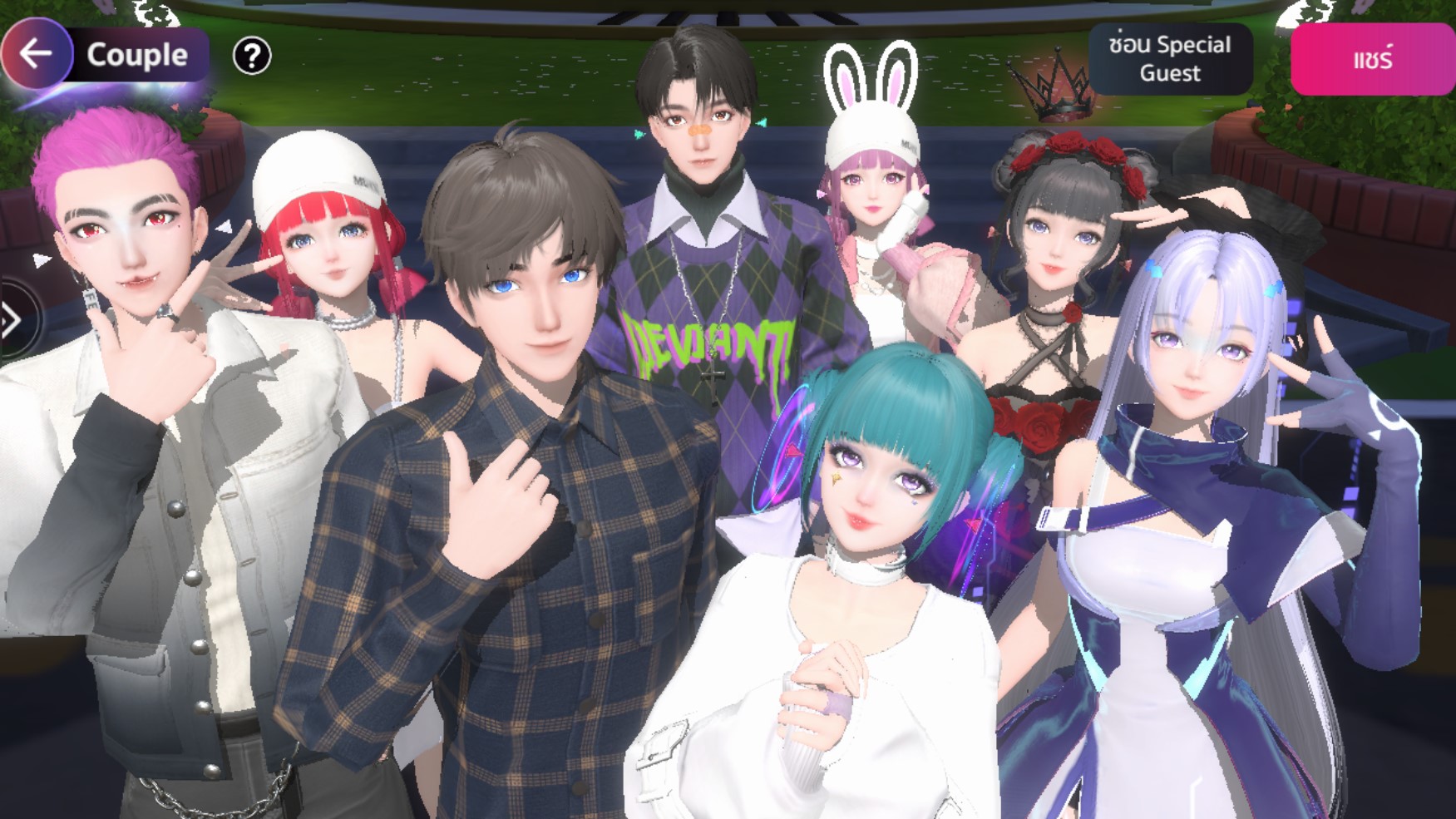
Wedding Example

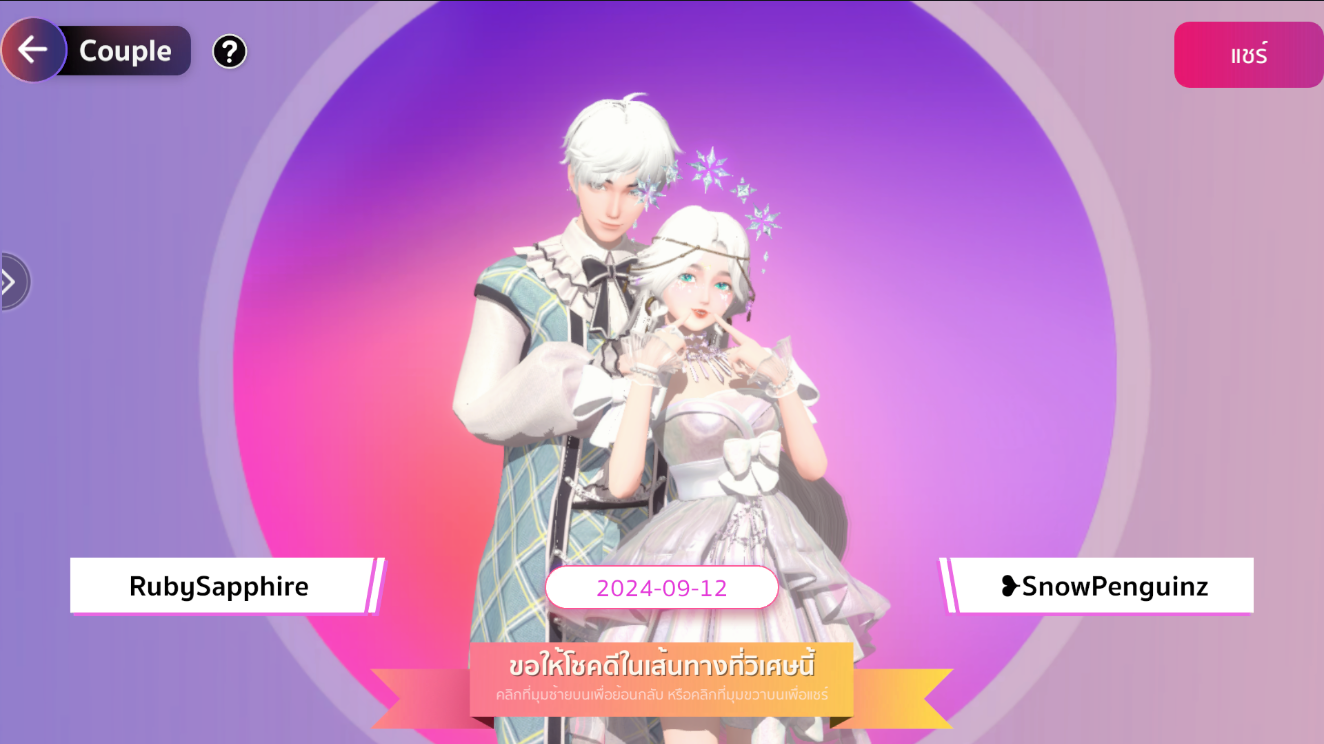
After the ceremony, a group photo will be taken as a keepsake, including the Special Guest.


Couple Benefits

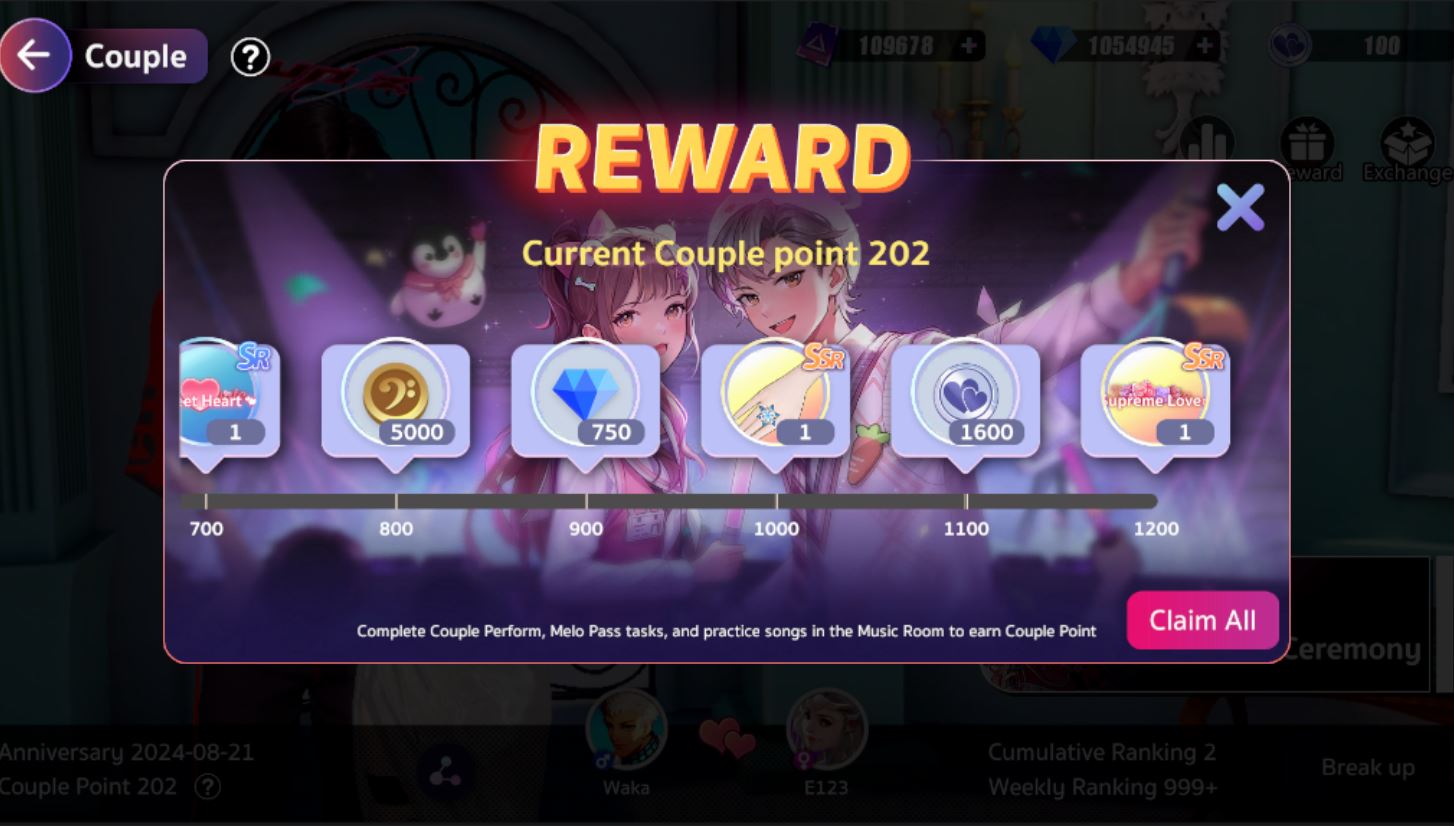
Once you’re a couple, you can start earning Couple Points through the following methods:
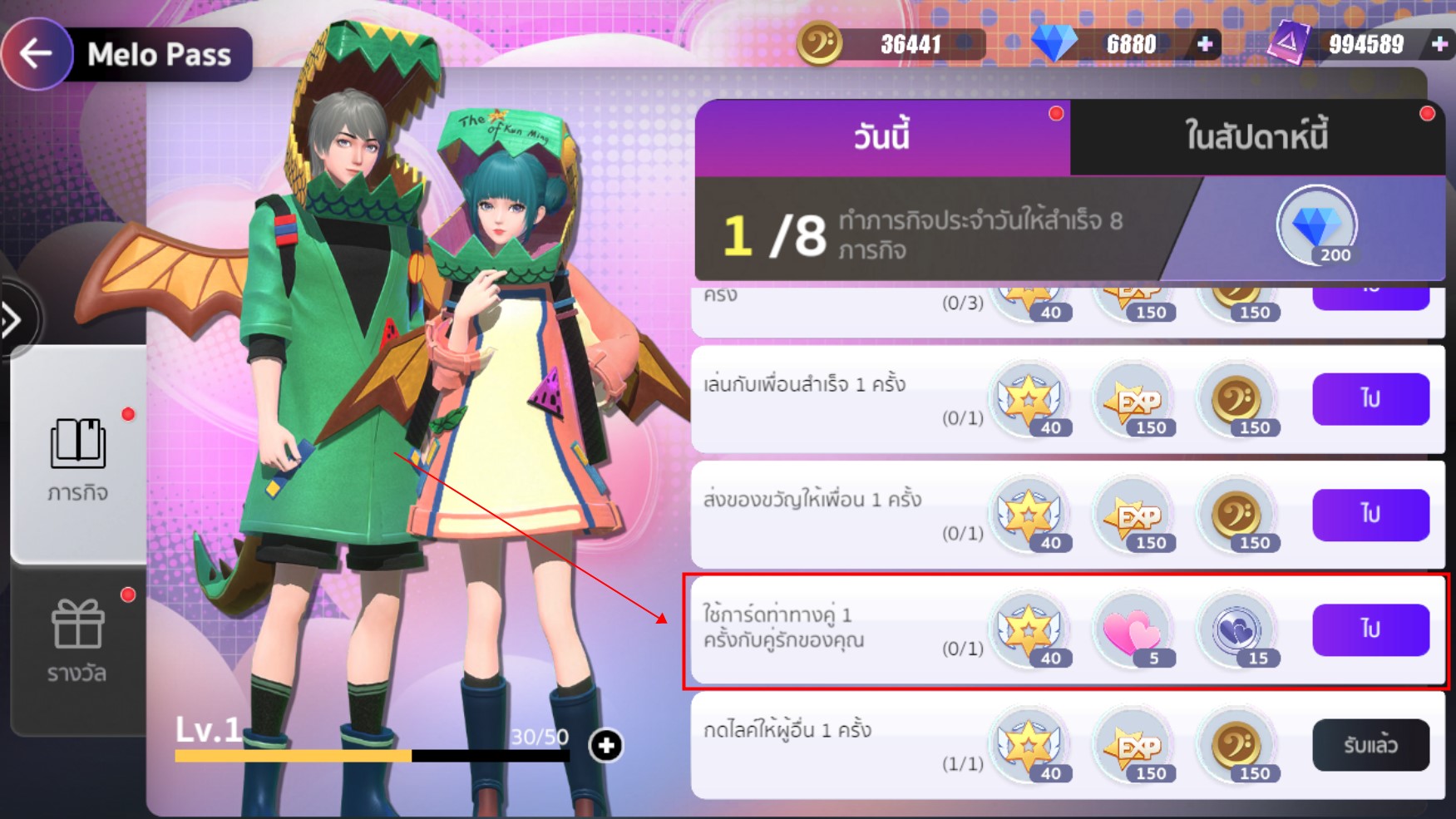
1. Couple missions from Melo Pass.

2. Completing songs in the Music Room in any instrument mode.

3. Perform Center in the Couple Team stages.

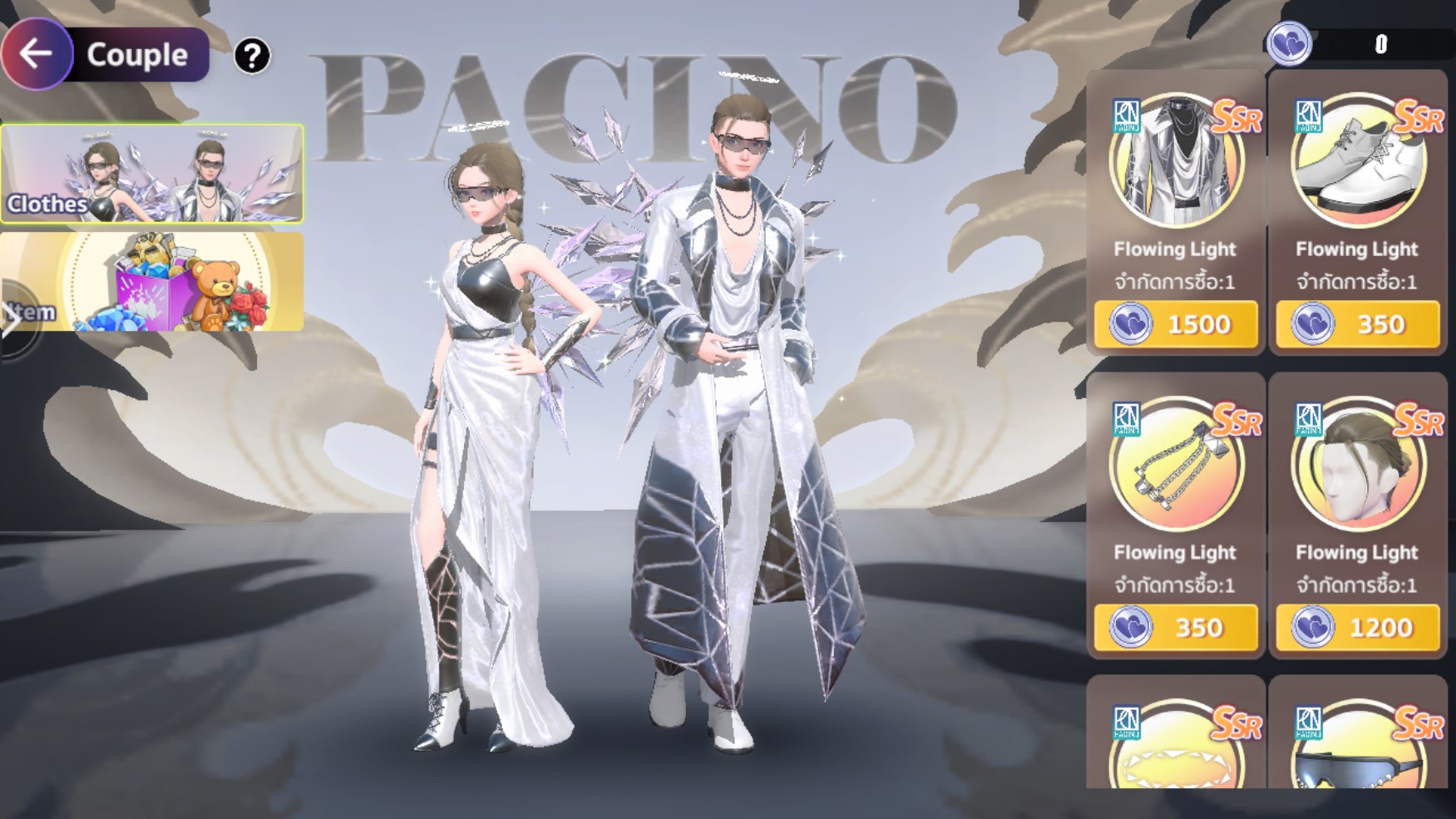
Collect Couple Points to exchange for rare rewards in the Couple menu, such as profile frames, the Snowflake Ring SSR, or cute titles.

 Exchange Shop
In the Couple menu, you can enter the Exchange section to trade for rewards using Love Coins, which can be earned from Melo Pass and Perform Center.

Breaking Up

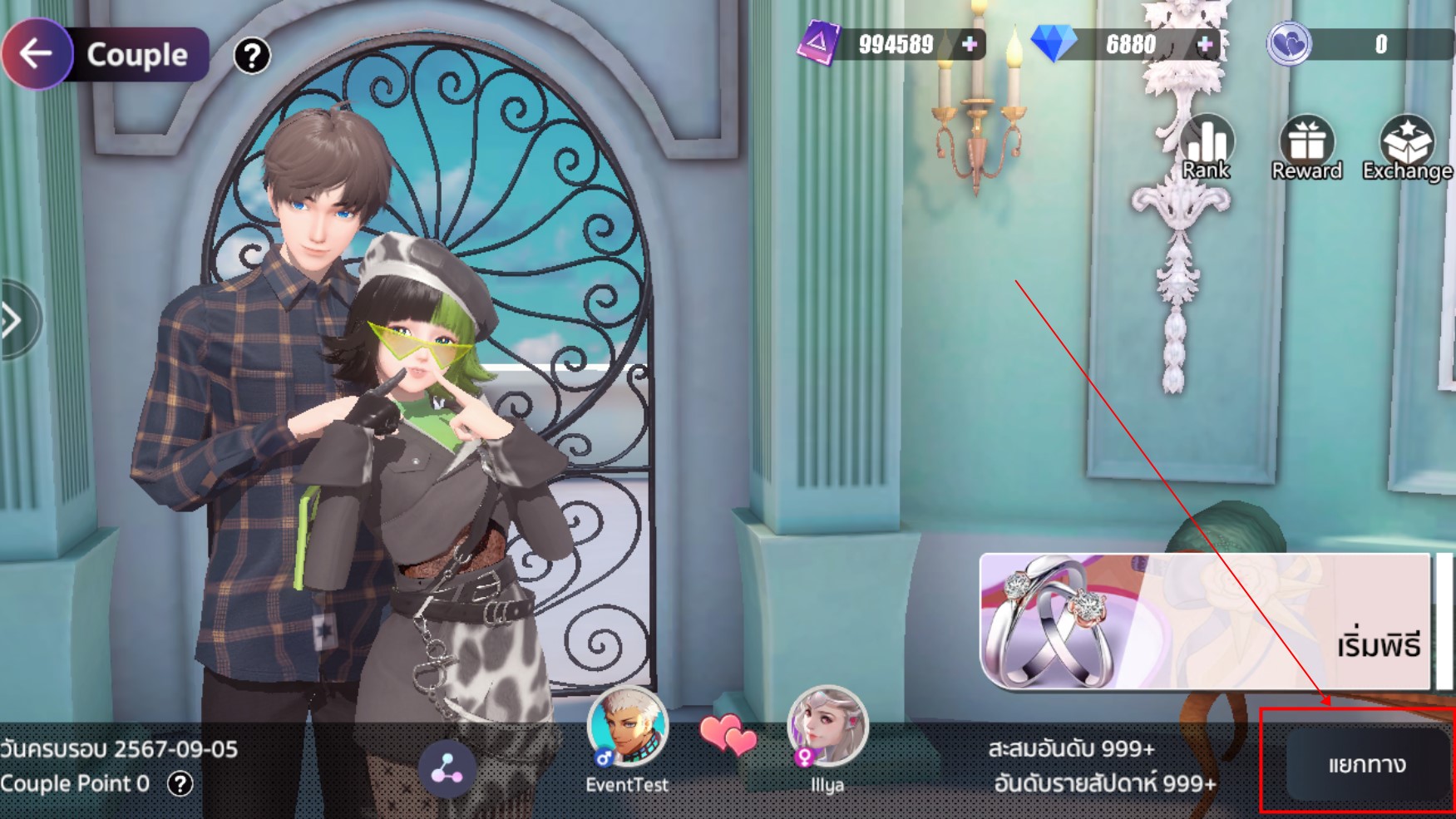
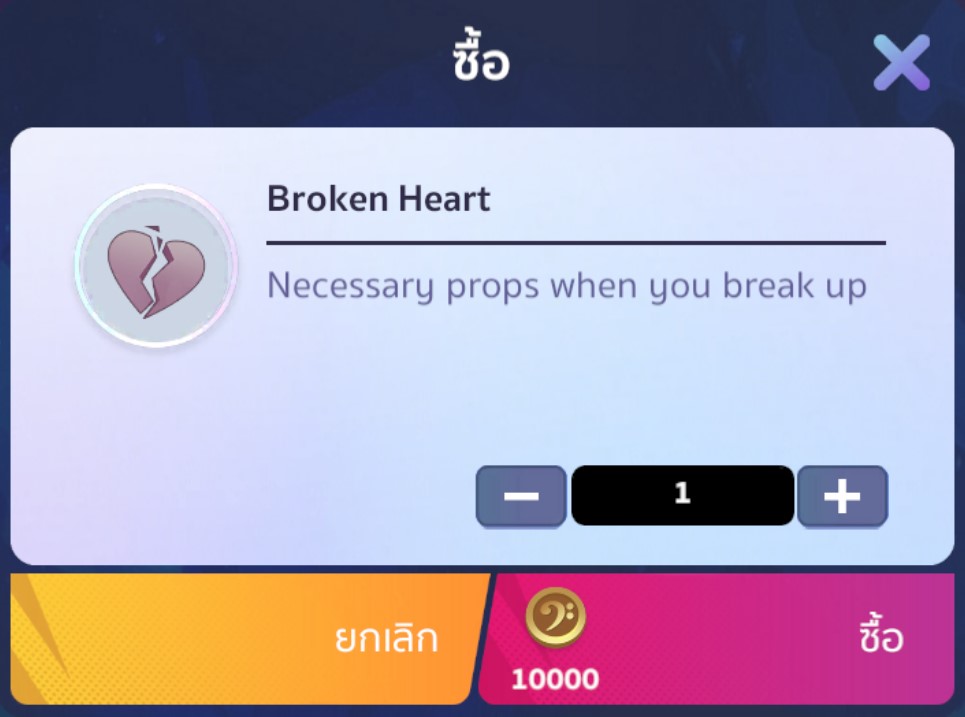
If you wish to end the relationship, you can click the “Break Up” button in the Couple menu.Breaking up requires the Broken Heart item, which can be purchased from the in-game Shop for 10,000 Gold.

Note: After breaking up, you can register a new couple immediately without waiting.


How to play Drum in MeloJam

Drum

Kenta desu. (Kenta です)

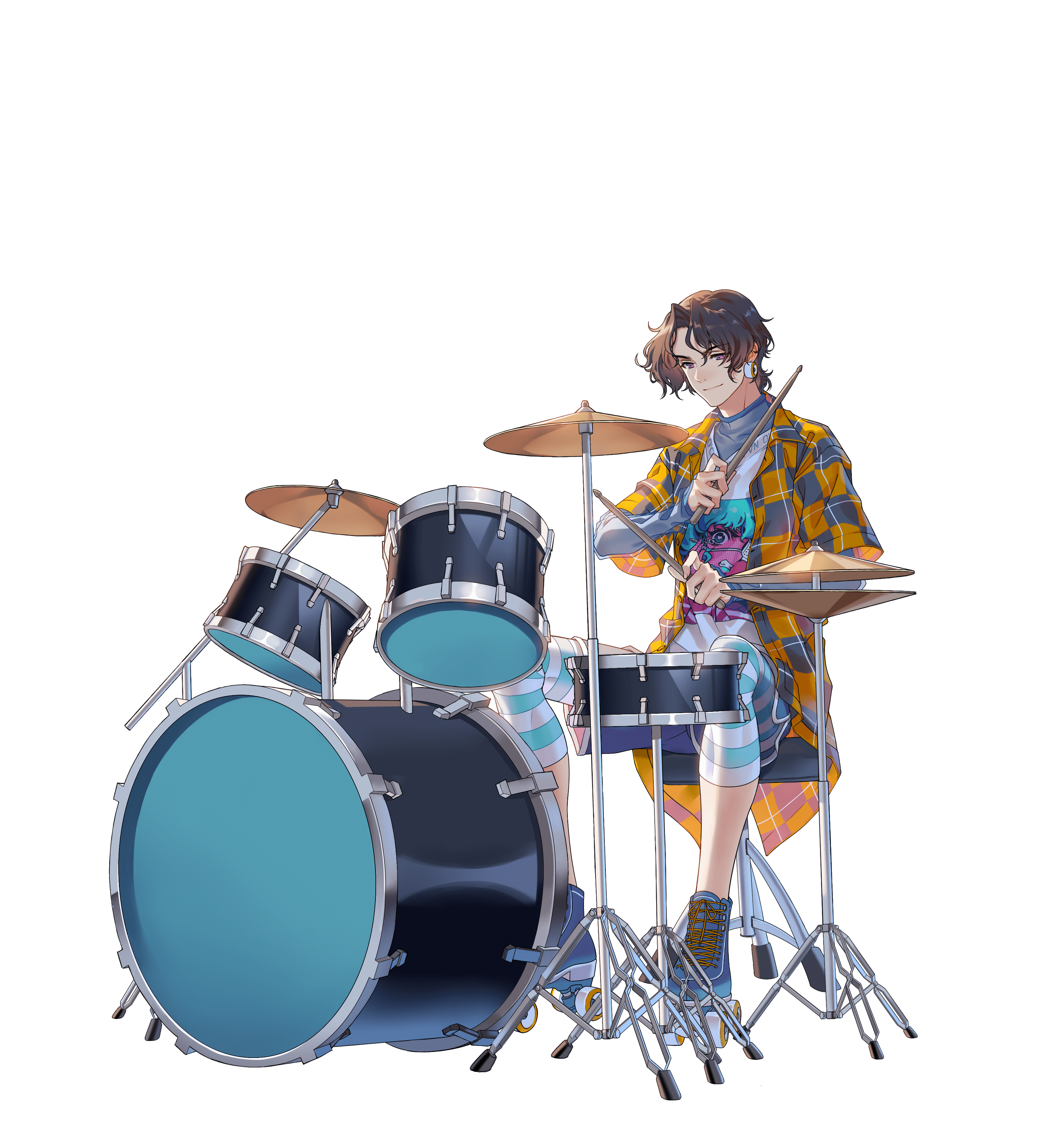
Kenta is here! Drums are an essential instrument in any band. I’m going to show you how to play the drums yourself. I promise it’s not difficult and it’s a lot of fun! Let’s take a look at the different types of drums and how to hit them.
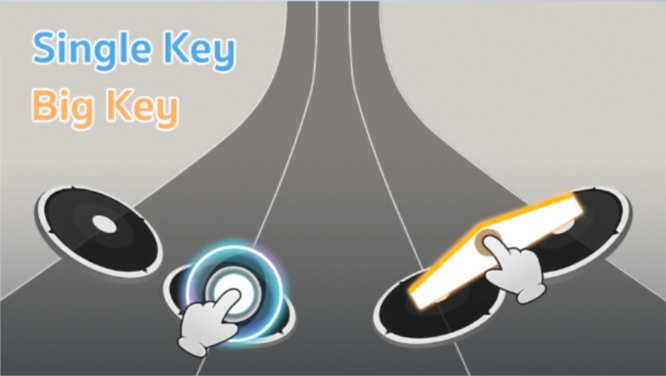
  1. Single Key และ Big Key
    – Single Keys are round buttons that move along a line. It would help if you pressed them when they reached the designated circle.
    – Big Keys are wide buttons you must press in the middle.
    Tip : Keep up the rhythm and lose yourself to the beat of the drums!
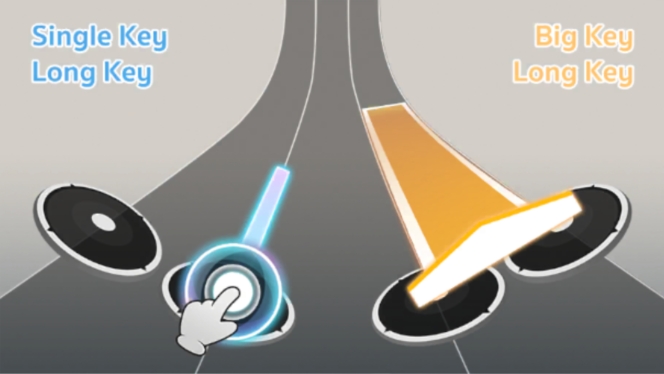
  2. Big Key และ Big Long Key
    – Single Long Key and Big Long Key are buttons that you need to press and hold until the end of the button.
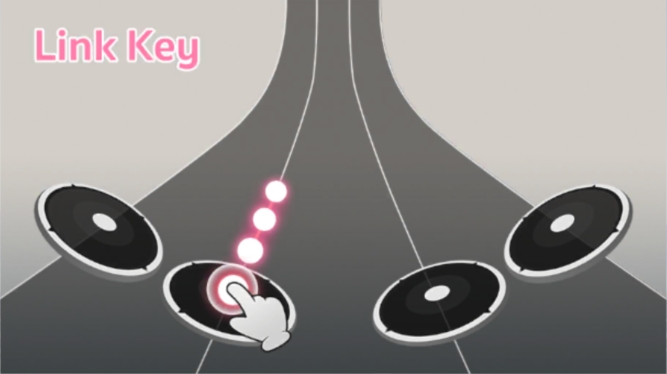
  3. Link Key
    – The Link Key is similar to the Long Key, but you need to press and hold it while moving your finger along the path that comes in. This is because sometimes the path will move to the left or right depending on the song. If you don’t move in time, you’ll miss it!
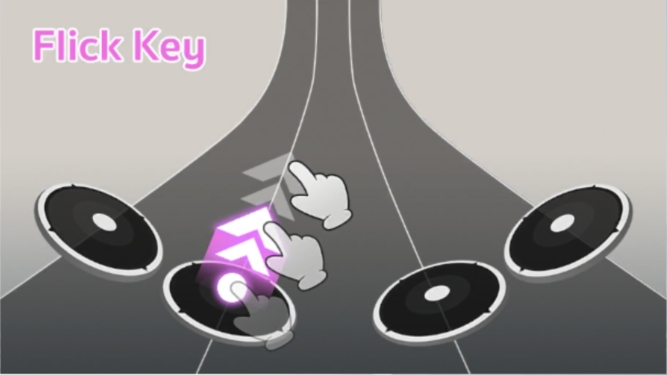
  4. Flick Key– Flick Keys are buttons that you need to flick upward in the direction of the arrow that comes in.

How’s that? Not too difficult, right?

Let’s play the drums and have some fun in Melojam!


Team: MeloJam

Get ready for an unforgettable CBT experience!

Get ready for an unforgettable CBT experience!

CBT Duration: July 24, 2024 – July 30, 2024 (Before system maintenance)

【Download Now】


CBT Event:Level Up Challenge
Reach target levels during CBT to receive exclusive items in OBT!

(click here to read more)

CBT Event: Band Perform
Form your band and showcase your skills at the Perform Center during CBT to receive exclusive rewards in OBT!

(click here to read more)

CBT Event: Ranking Rush
Get ready for exhilarating Ranked Mode matches during CBT and claim exclusive rewards in OBT!

(click here to read more)

CBT: WebShop Promotion
Top up your account through Playmall to access the WebShop
Enjoy exclusive bonuses during CBT
Plus, receive all coupons purchased during CBT for use in OBT

Announcement Date
8 Aug, 2024

MeloJam Team

CBT WebShop Promotion

Attention all musicians! Top-up through the Playmall system using the Webshop during CBT and receive many special bonuses! You’ll also receive a coupon for the total amount you top up during CBT that you can use when OBT begins!

Event Duration
Start : Aug 8, 2024 (after server opening)
End : Aug 14, 2024


【Enter WebShop CLICK


Package


First Refill Package bonus 100%

Set 1 Set 2 Set 3 Set 4
190 Coupon
50 THB
380 Coupon
100 THB
1,140 Coupon
300 THB
1,900 Coupon
500 THB
Set 5 Set 6 Set 7 Set 8
3,800 Coupon
1,000 THB
7,600 Coupon
2,000 THB
19,000 Coupon
5,000 THB
38,000 Coupon
10,000 THB

* Limited to 1 purchase per ID during the event period.


Standard Package bonus 15-17%

Set 1 Set 2 Set 3 Set 4
109 Coupon

50 THB
220 Coupon

100 THB
660 Coupon

300 THB
1,100 Coupon

500 THB
Set 5 Set 6 Set 7 Set 8
2,200 Coupon

1,000 THB
4,400 Coupon

2,000 THB
11,150 Coupon

5,000 THB
22,300 Coupon

10,000 THB


Terms & Conditions

  1. Upon purchasing the first “First Refill Package” of each Set, players will receive a 2x coupon. Limited to 1 purchase per ID during the event period.
  2. Upon purchasing a Standard Package bonus, players will receive the bonus percentage specified for each Set purchased
  3. Standard Package bonuses can be purchased an unlimited number of times per ID.
  4. All coupons purchased through the Webshop during CBT will also be received by the same ID that made the purchase when OBT opens.
  5. For First Refill Packages purchased during CBT with a 2x coupon, the purchase count will be reset during OBT, allowing players to purchase the First Refill Package again.
  6. The development team reserves the right to change or modify event details without prior notice.
  7. The decisions of the development team are final.

Announcement Date
8 Aug, 2024

MeloJam Team


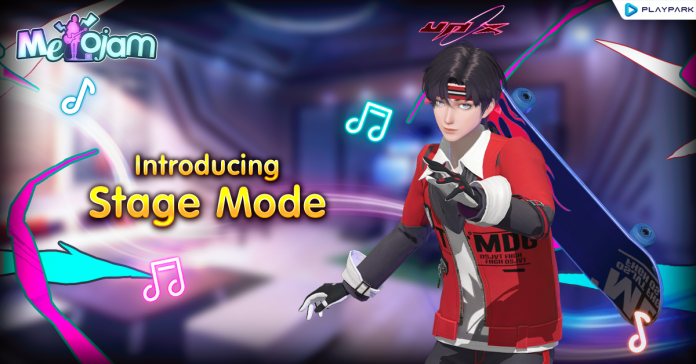
Introducing Stage Mode

Gameplay Mode : Stage Mode


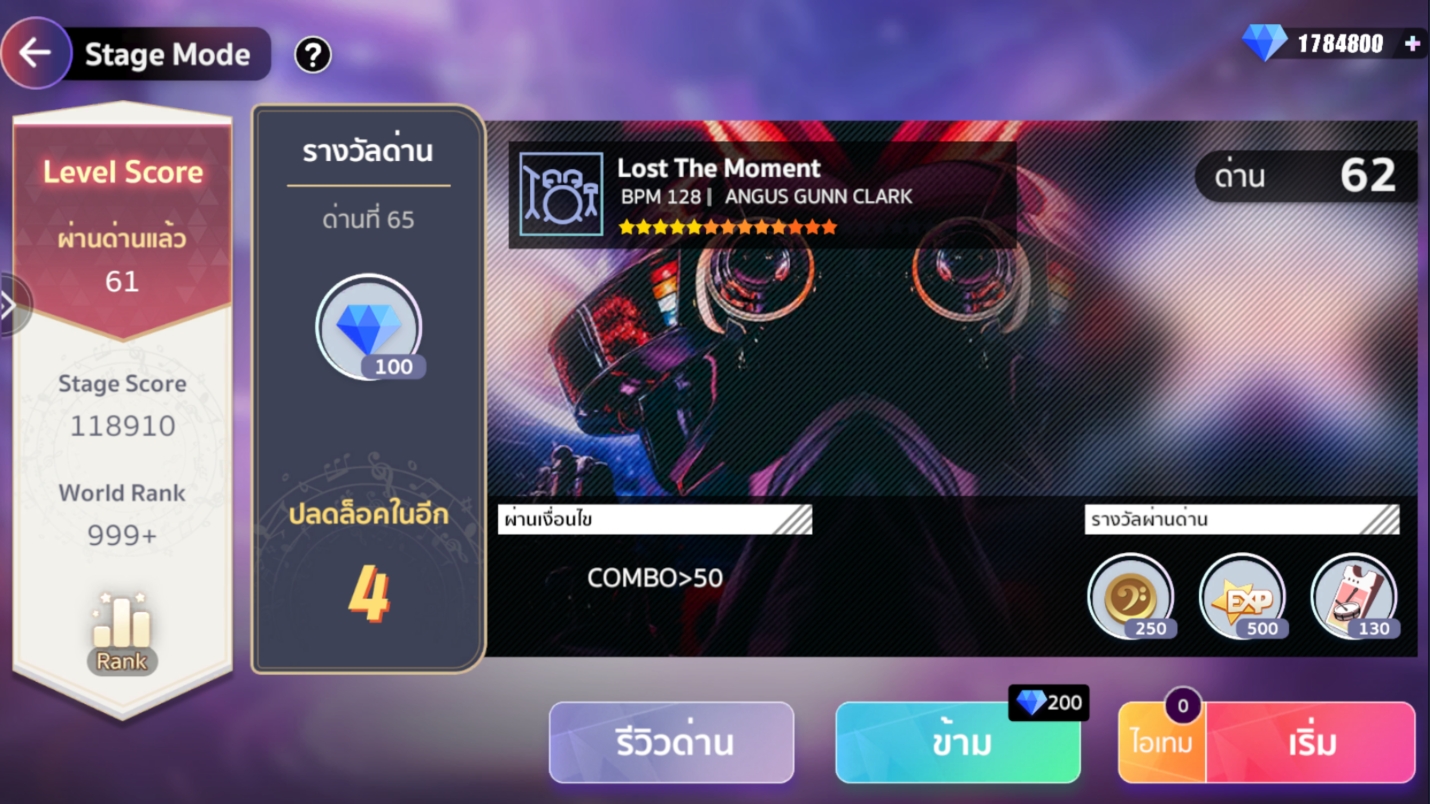
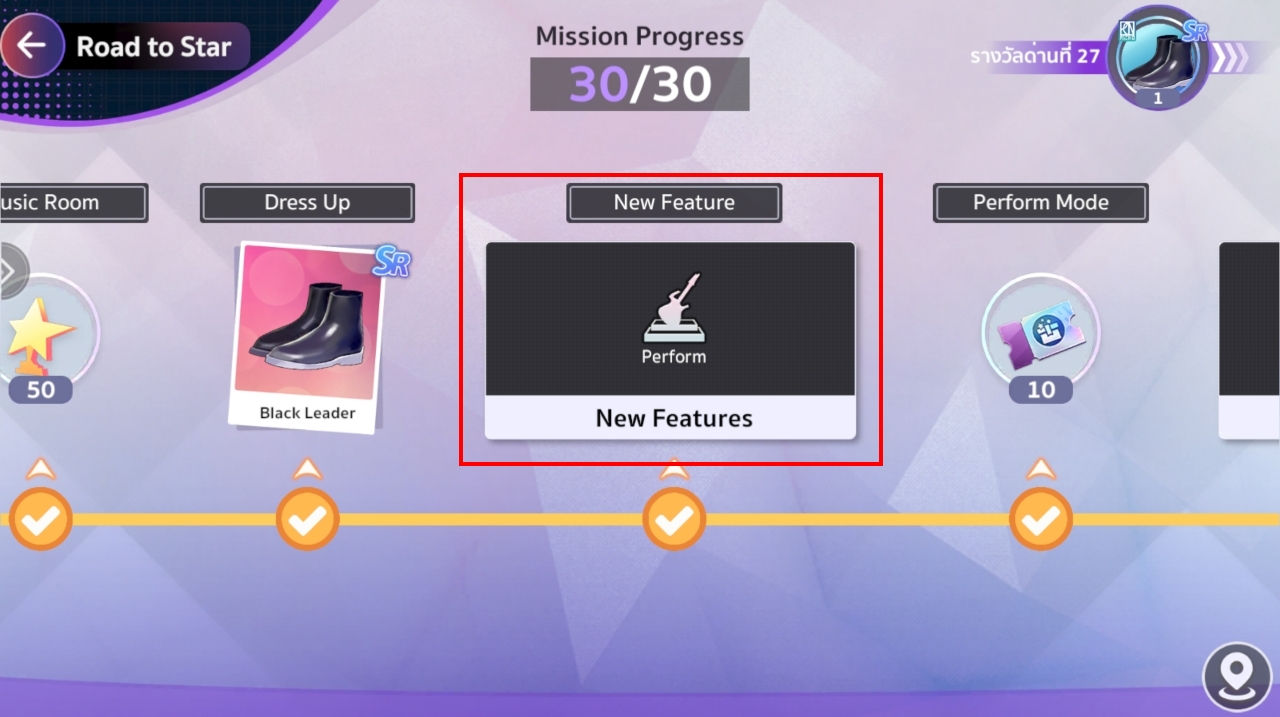
This game mode is a series of stages that players must progress through. Stage Mode will be unlocked after completing Stage 7 of Road to Star.
Stage Mode becomes increasingly challenging as the stages progress. Players can skip stages by using 200 Diamonds, but this can only be done 5 times per day.

If you’re looking to level up your musical instruments, then this is the mode for you! You’ll earn a ton of character EXP and instrument EXP!

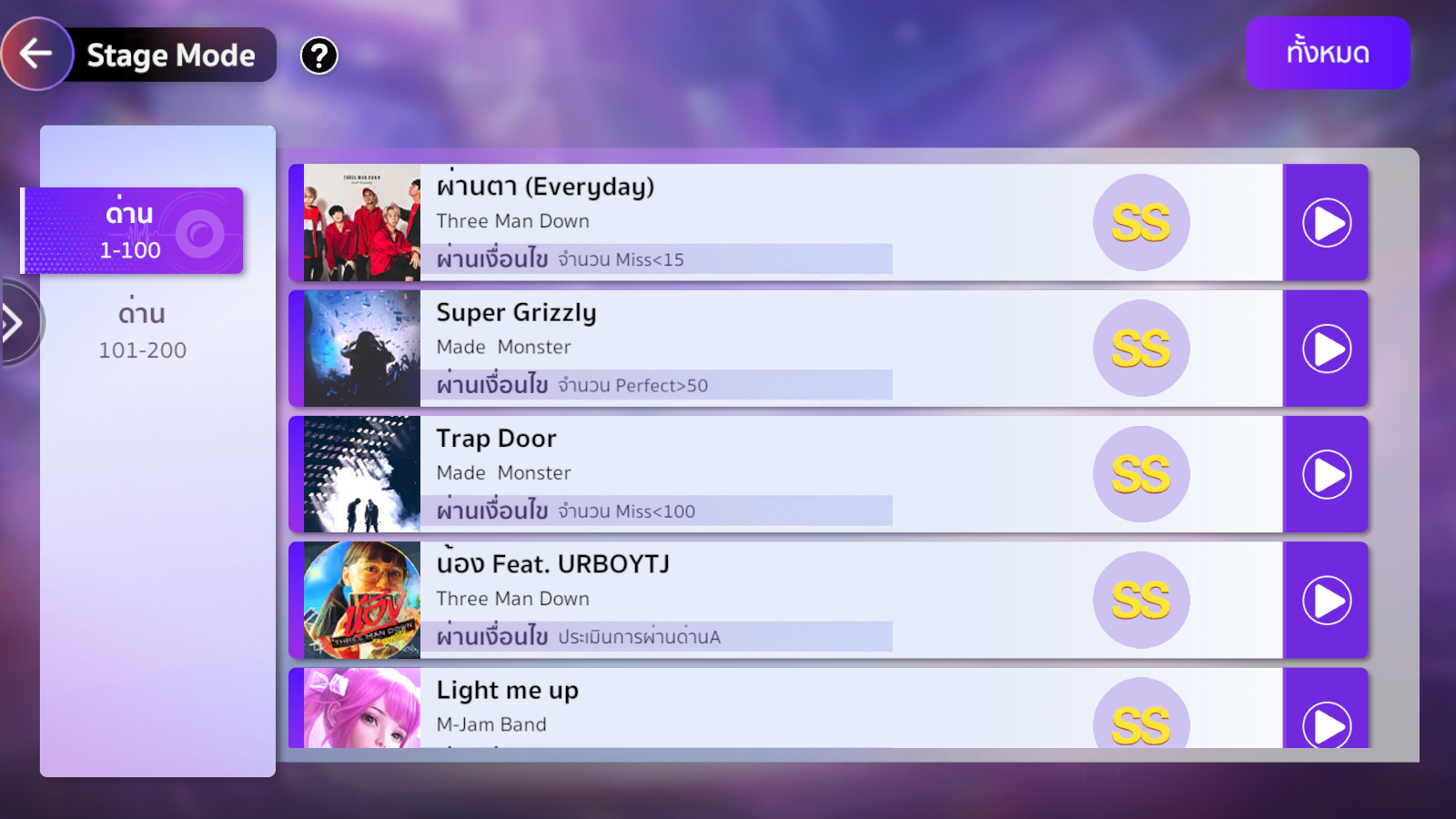
Jammers can also check their records through the Review Stage menu. If you are not satisfied with the Rank score, you can play again.

Example of Stage Review


Published on 8 Aug 2024
by MeloJam Team

Introducing the Beauty Salon

Beauty Salon

Hello, all MeloJam friends. Beauty and handsomeness are essential to enhance your confidence. The Beauty Salon system will make your characters look even more stylish and attractive!

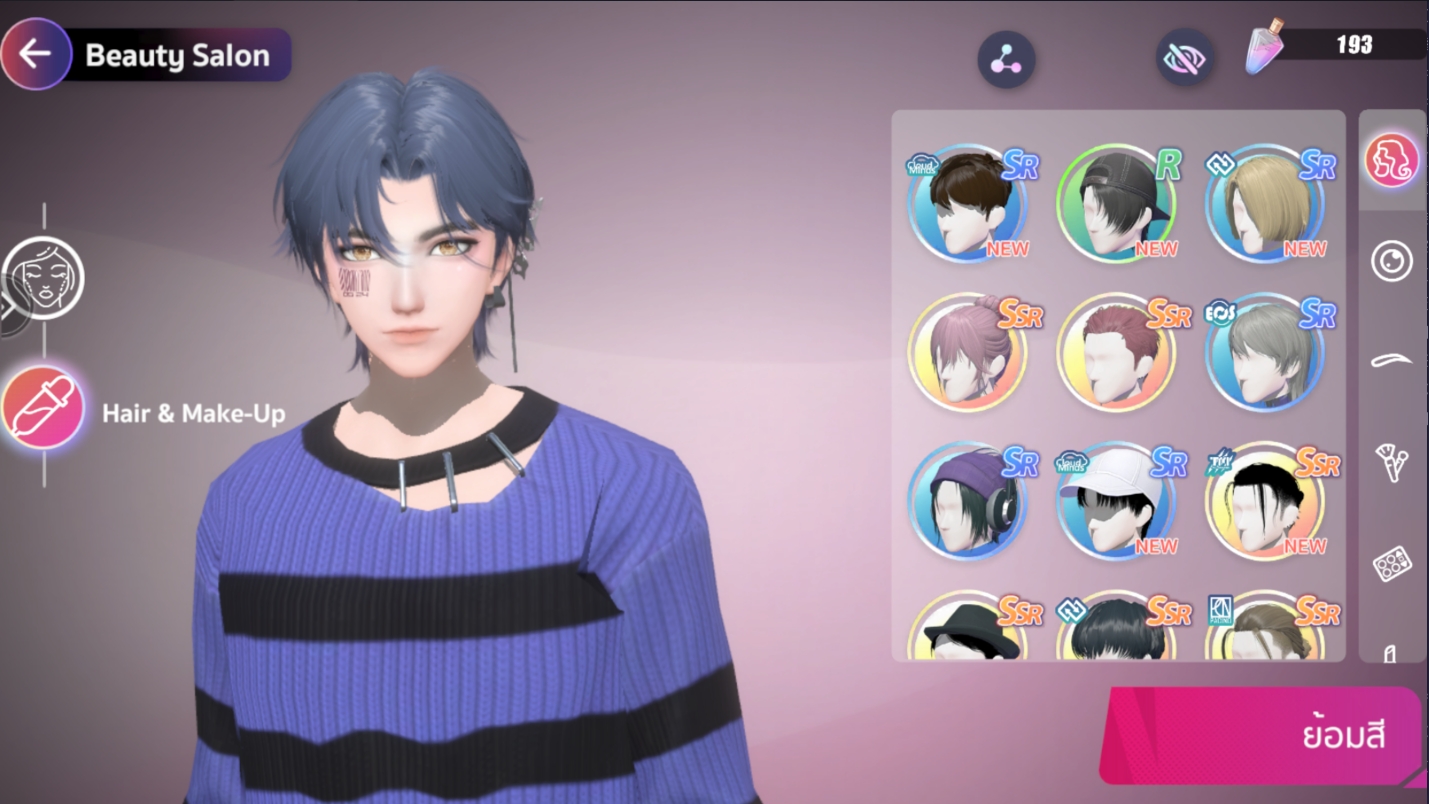
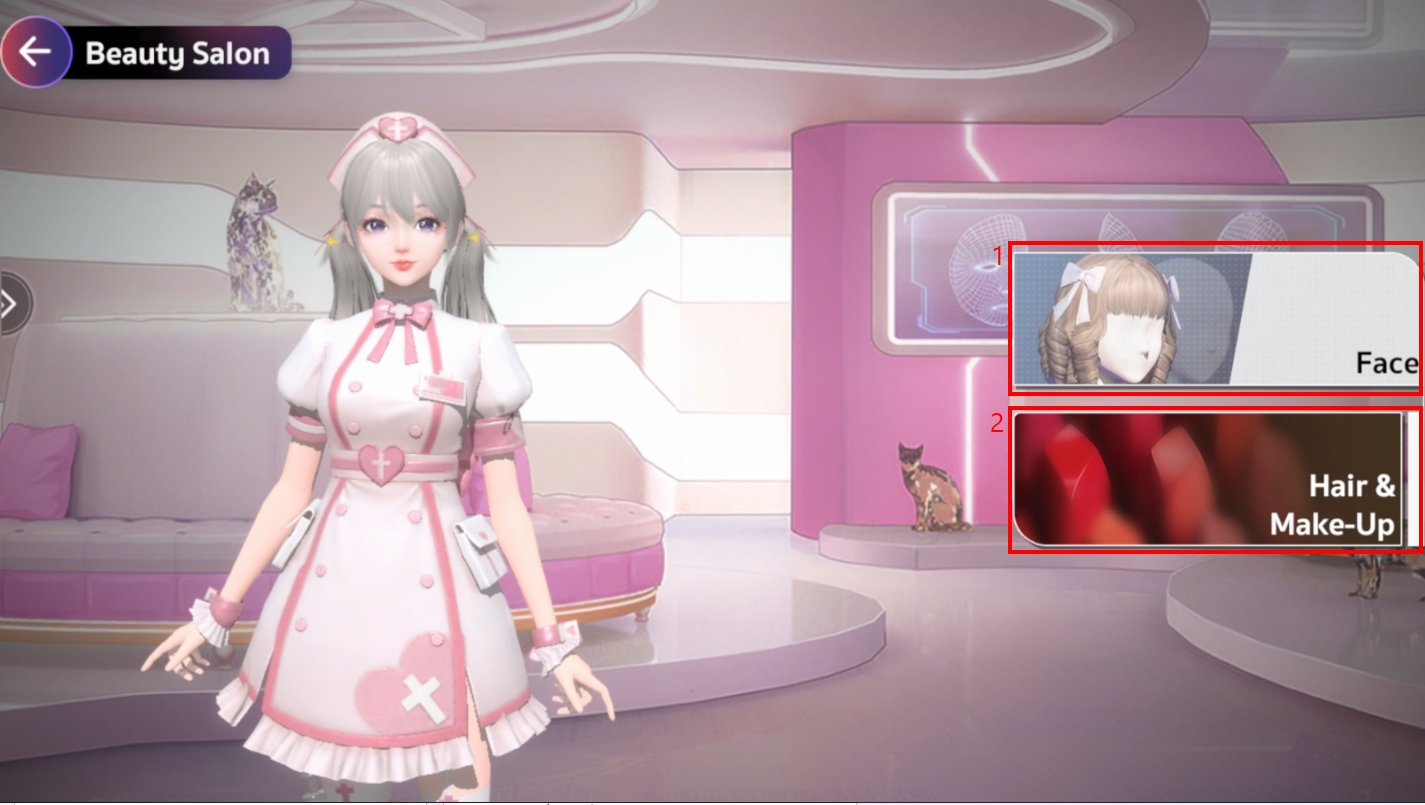
When friends visit the Beauty Salon menu, they will find two options as follows:

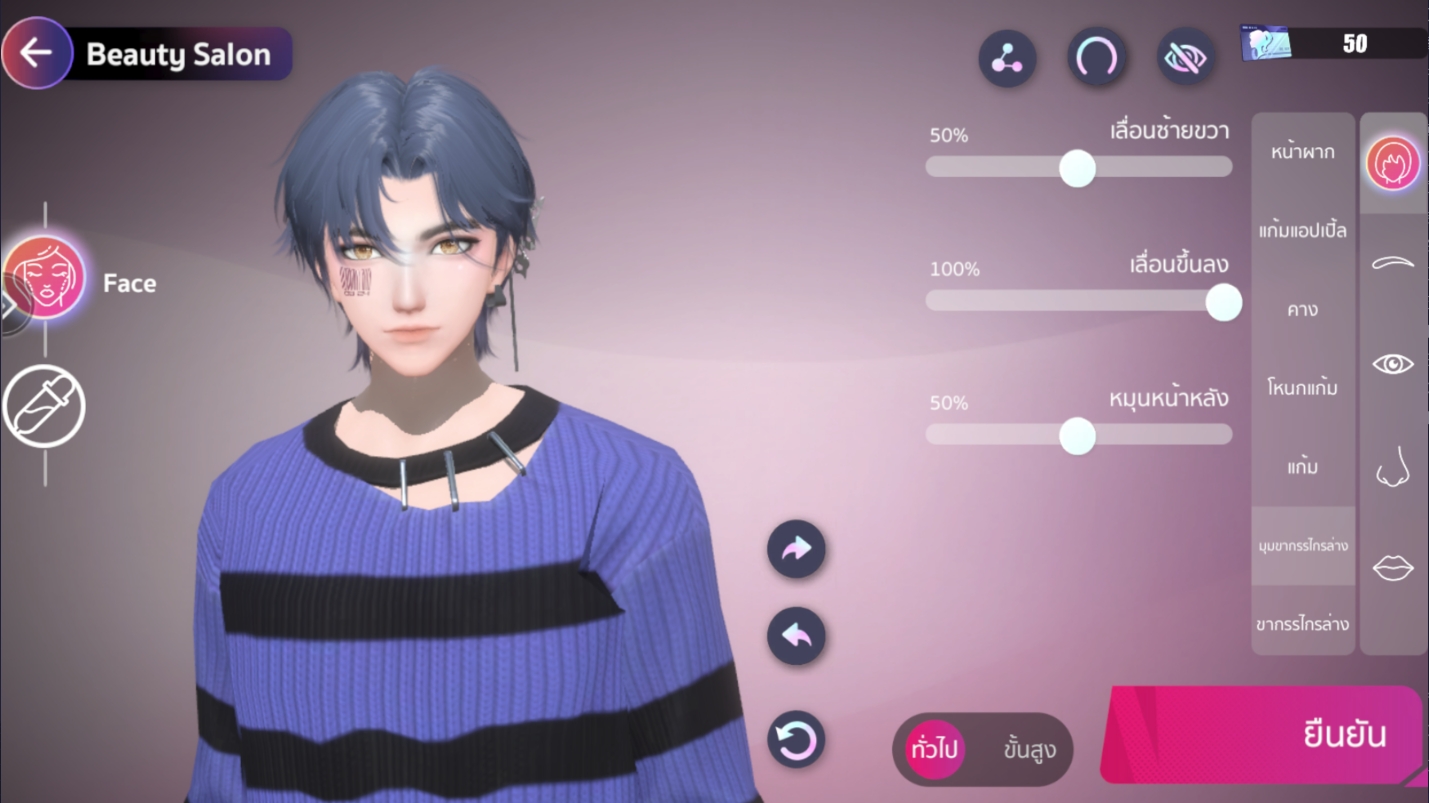
    1. Face

      This is a system that allows friends to customize their facial features according to their preferences. Whether you want to look beautiful or handsome, you can adjust to your liking ^^ The essential item needed for changing facial features is the “Beauty Card.”

      Item Name Item Picture
      Beauty Card
    2. Hair & Make-Up
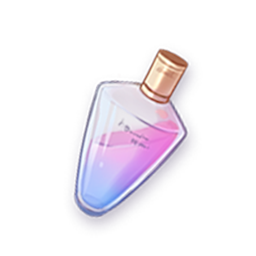
      This system allows friends to dye hair, change eye color, eyebrow color, and also apply makeup to their characters. The essential item needed for Hair & Make-Up is the “Dye Potion.”
      Item Name Item Picture
      Dye Potion

Published on 8 Aug 2024
by MeloJam Team

Introducing Ranked Mode

Gameplay Mode : Ranked Mode

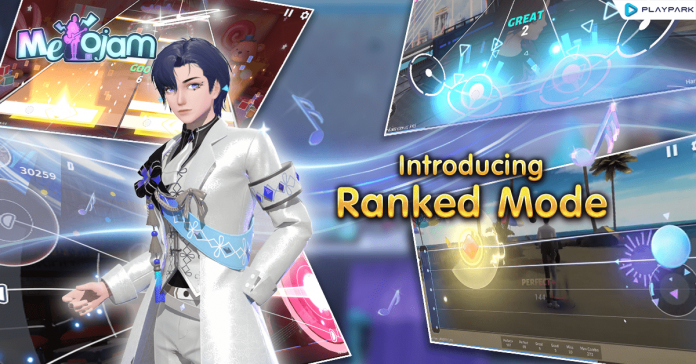
Greetings, fellow Melojam enthusiasts! Today, we’re excited to introduce Ranked Mode, a thrilling arena where you’ll face off against fellow music aficionados in an epic battle for leaderboard supremacy.

Ranked Mode

Ranked Mode will be unlocked after completing Stage 19 of Road to Star.
Ranked Mode is divided into four instrument categories: Keyboard, Guitar, Bass, and Drum.

To participate in Ranked Mode, players must meet the minimum instrument level requirements. The required levels are as follows:
– Keyboard: Accessible upon Ranked Mode’s release
– Guitar: Level 6
– Bass: Level 8
– Drum: Level 10

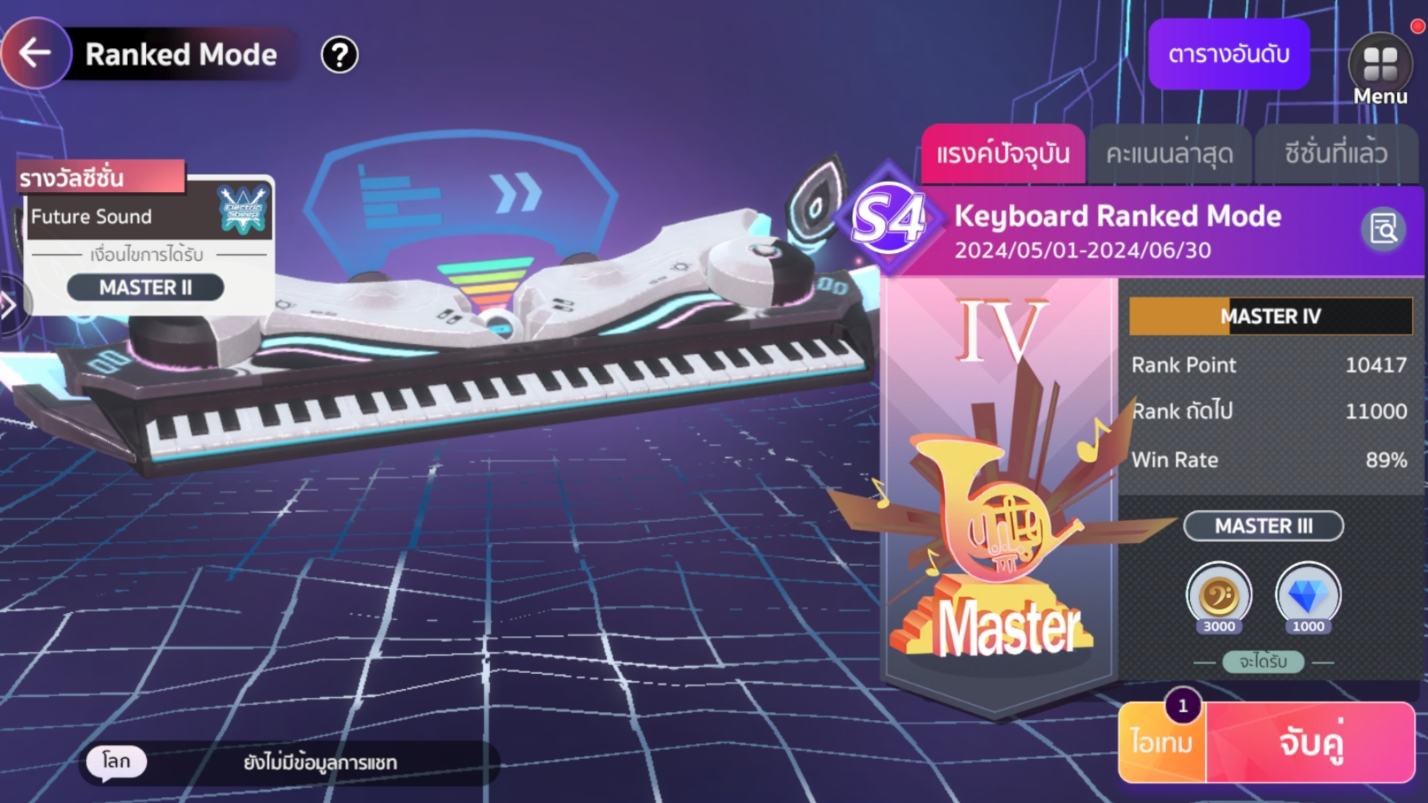
Once you’ve selected your instrument, you’ll be presented with a menu displaying your current Rank, recent score history, and previous season’s ranking. To begin the game and be matched with an opponent, simply press the “Start Game” button.
Random Songs for Competitive Matches
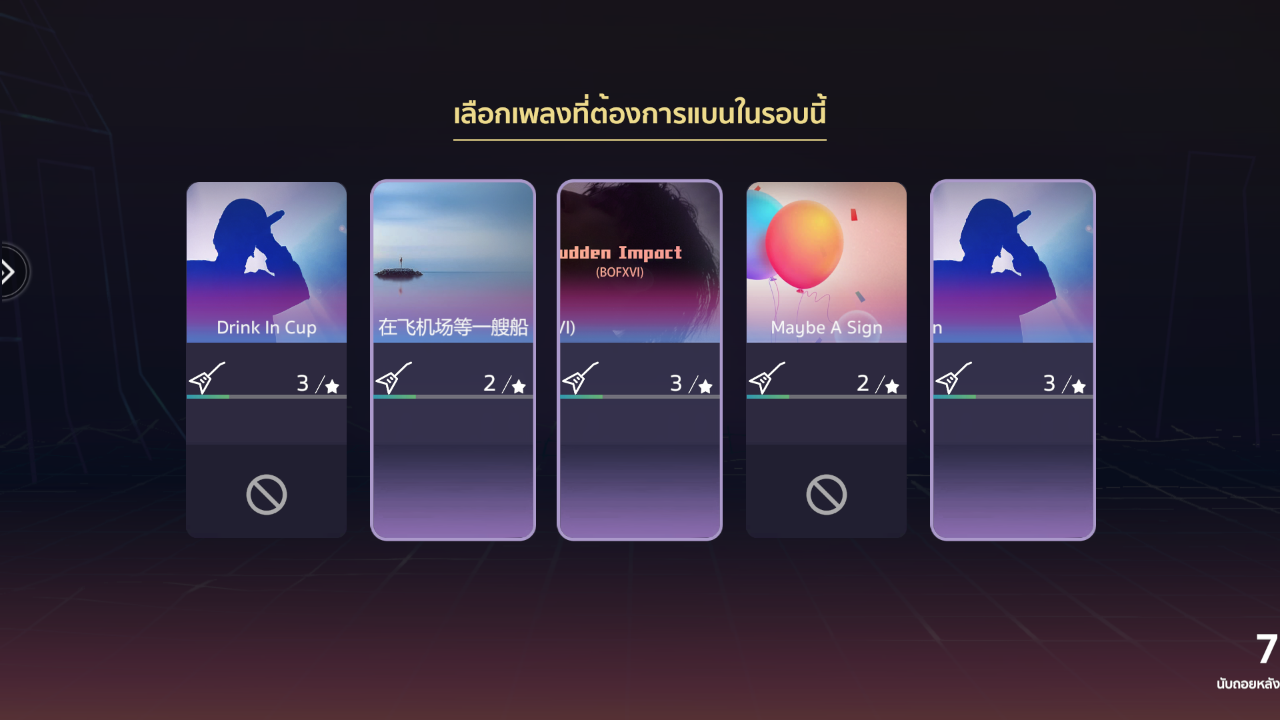
Upon matching with an opponent, a list of five randomly selected songs will be presented, with a 10-second selection window. Each player can ban one song they don’t want to play. The system will then randomly select one of the remaining unbanned songs for that round.

Ranking

Ranking Rank Logo
Bronze 3
Bronze 2
Bronze 1
Silver 3
Silver 2
Silver 1
Gold 5
Gold 4
Gold 3
Gold 2
Gold 1
Platinum 5
Platinum 4
Platinum 3
Platinum 2
Platinum 1
Diamond 5
Diamond 4
Diamond 3
Diamond 2
Diamond 1
Master 5
Master 4
Master 3
Master 2
Master 1
Super Star


Published on 8 Aug 2024
by MeloJam Team

Introducing the Music Room

Introducing the Music Room

Hello, all MeloJam friends! Today, I’m here to introduce the Music Room gameplay mode to everyone. In this mode, you can battle against others and also play together with friends.

Music Room

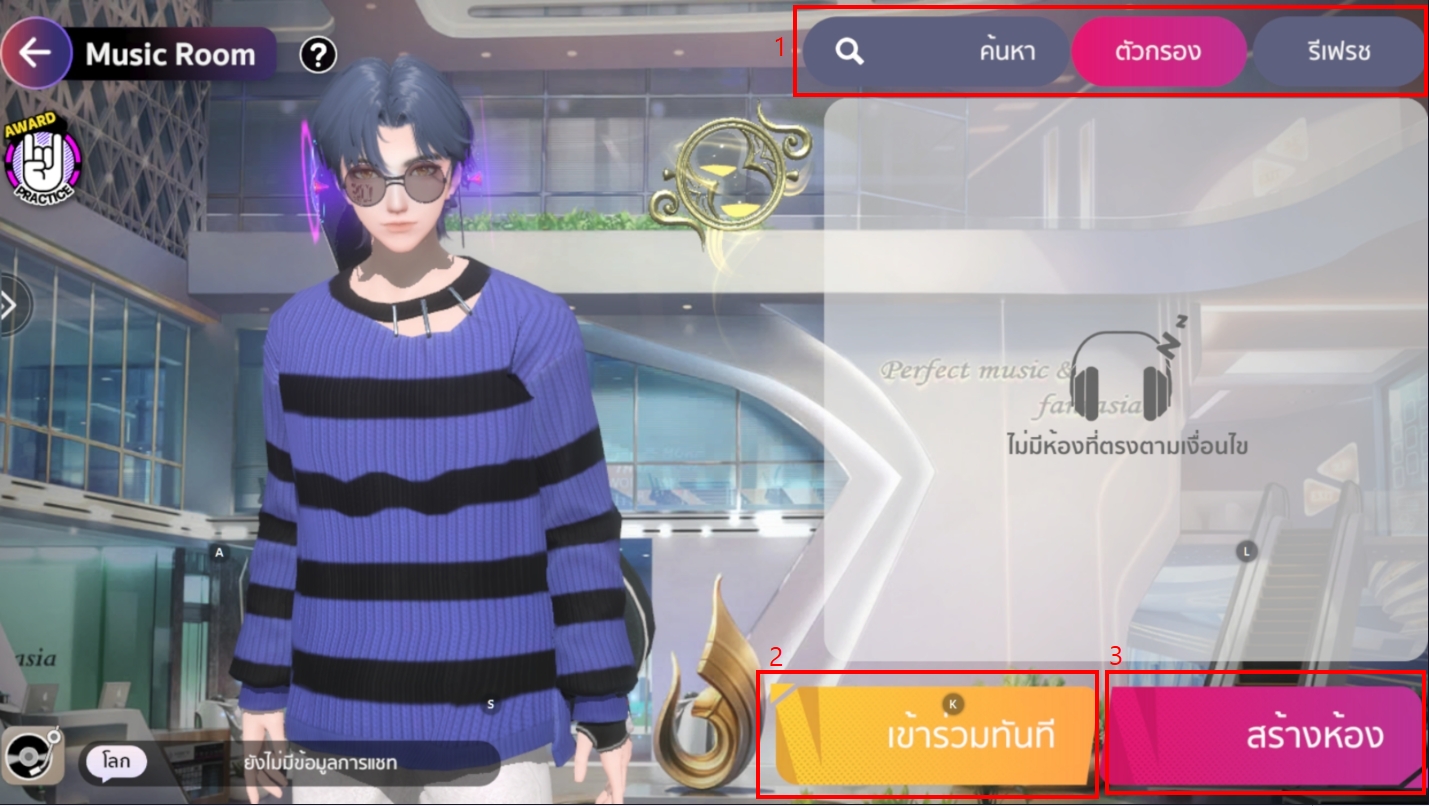
The Music Room gameplay mode will unlock for friends to play once they pass through Road to Star stage 3. When they enter, friends will arrive at the lobby page where they will find various menus, including:


1. Search Room Menu: Friends can search for specific rooms by entering the room number or use filters to search for specific musical instruments they want to play with ^^.
2. Join Instantly: This allows you to join random rooms without a password.
3. Create Room: Friends can create a room to play immediately.

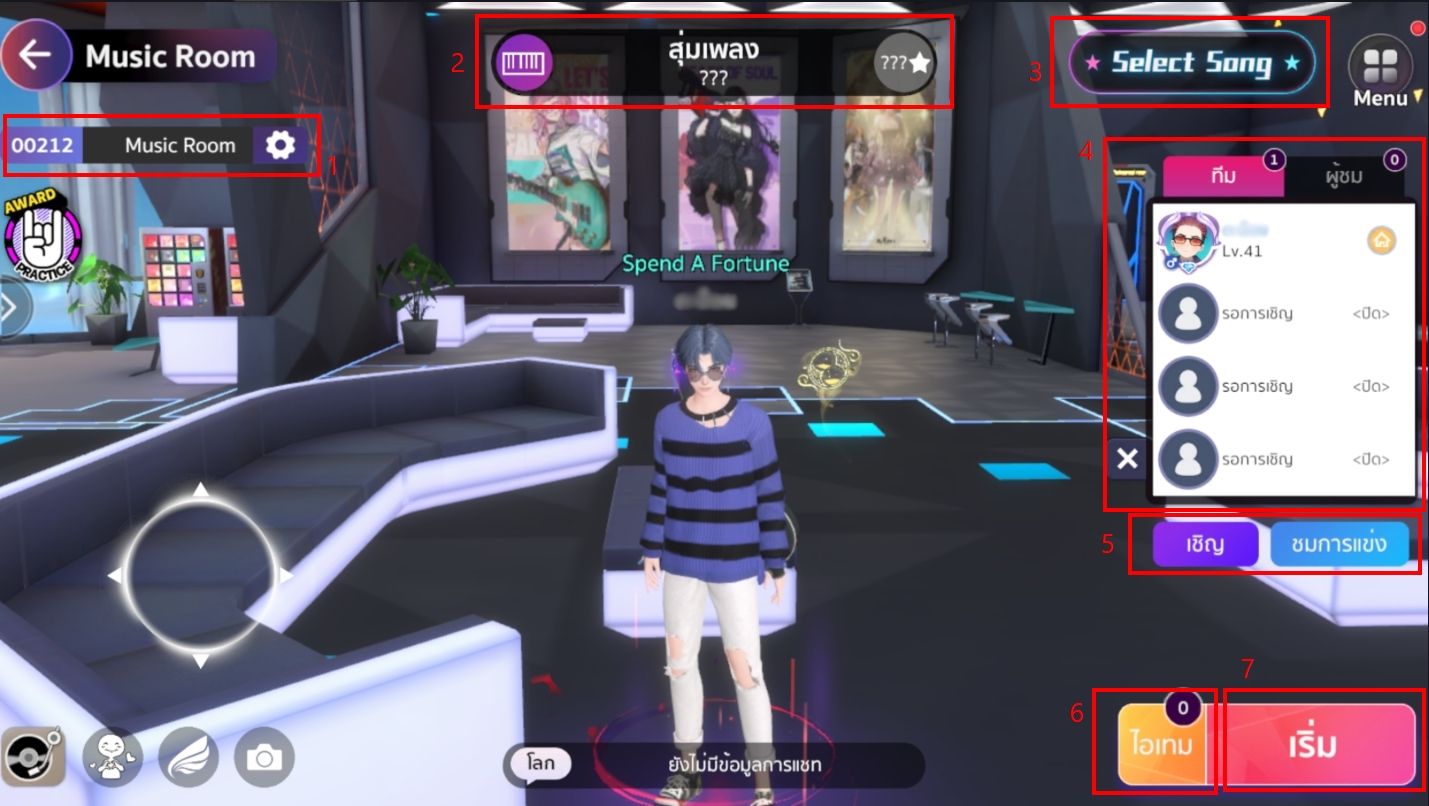
Once inside a room, friends will encounter the following menu options:

1. Room Number and Room Name
2. Song/Artist Name for gameplay, and song difficulty level
3. Menu for selecting songs
4. List of players in the gameplay room, and list of spectators
5. Invite button for joining gameplay, and switch button for switching between spectator and player mode
6. Button for using various EXP items
7 Start Game button


Published on 8 Aug 2024
by MeloJam Team

Introduction to the Perform Center

Perform Center

Greetings, fellow MeloJam enthusiasts! Ever wanted to jam with your friends while playing separate instruments? Well, look no further than Perform Center mode!

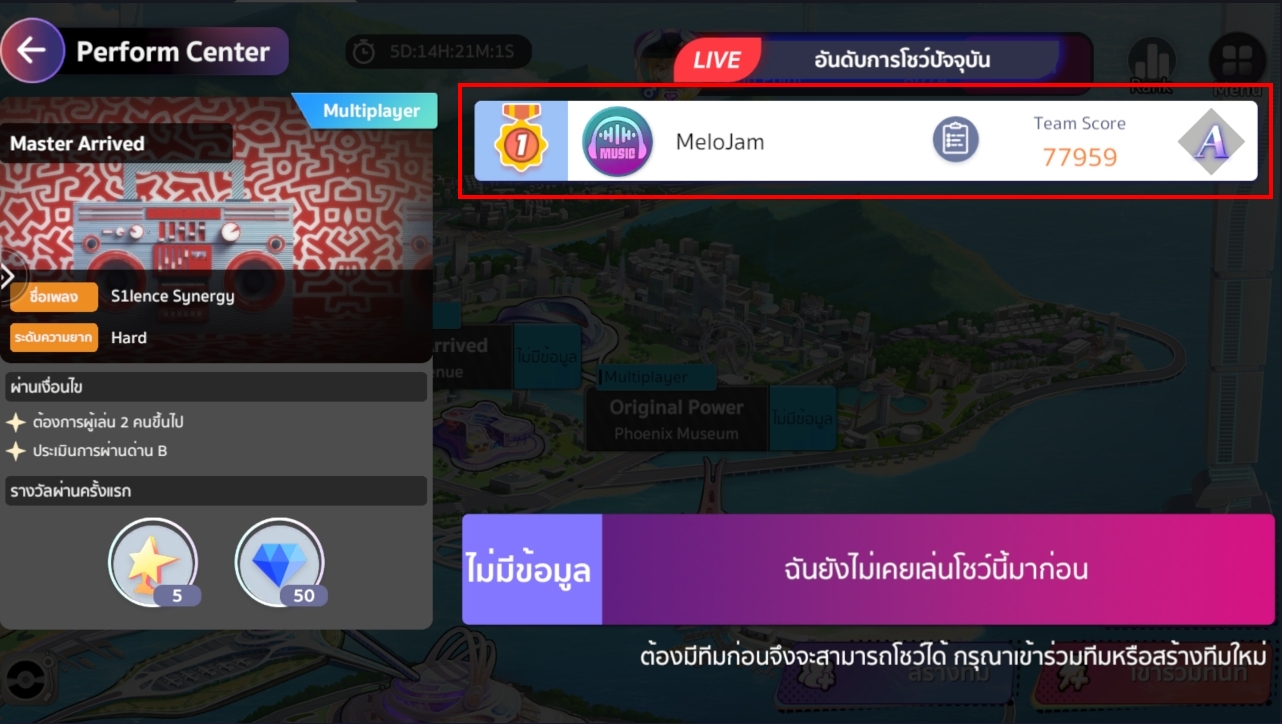
In this exciting mode, you and your friends will tackle stage-specific challenges while performing a variety of musical pieces.

Unlock Perform Center Conditions
Perform Center mode will be unlocked after completing Stage 28 of Road to Star.

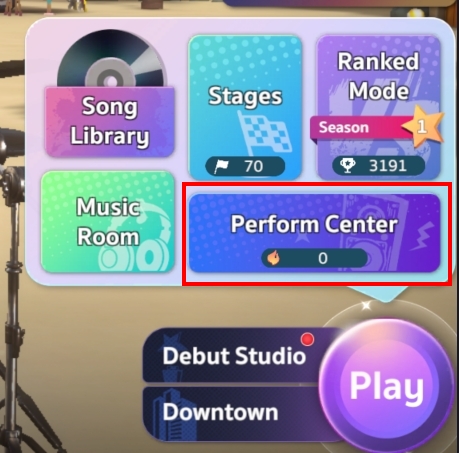
You can access it from the menu. Play >> Perform center

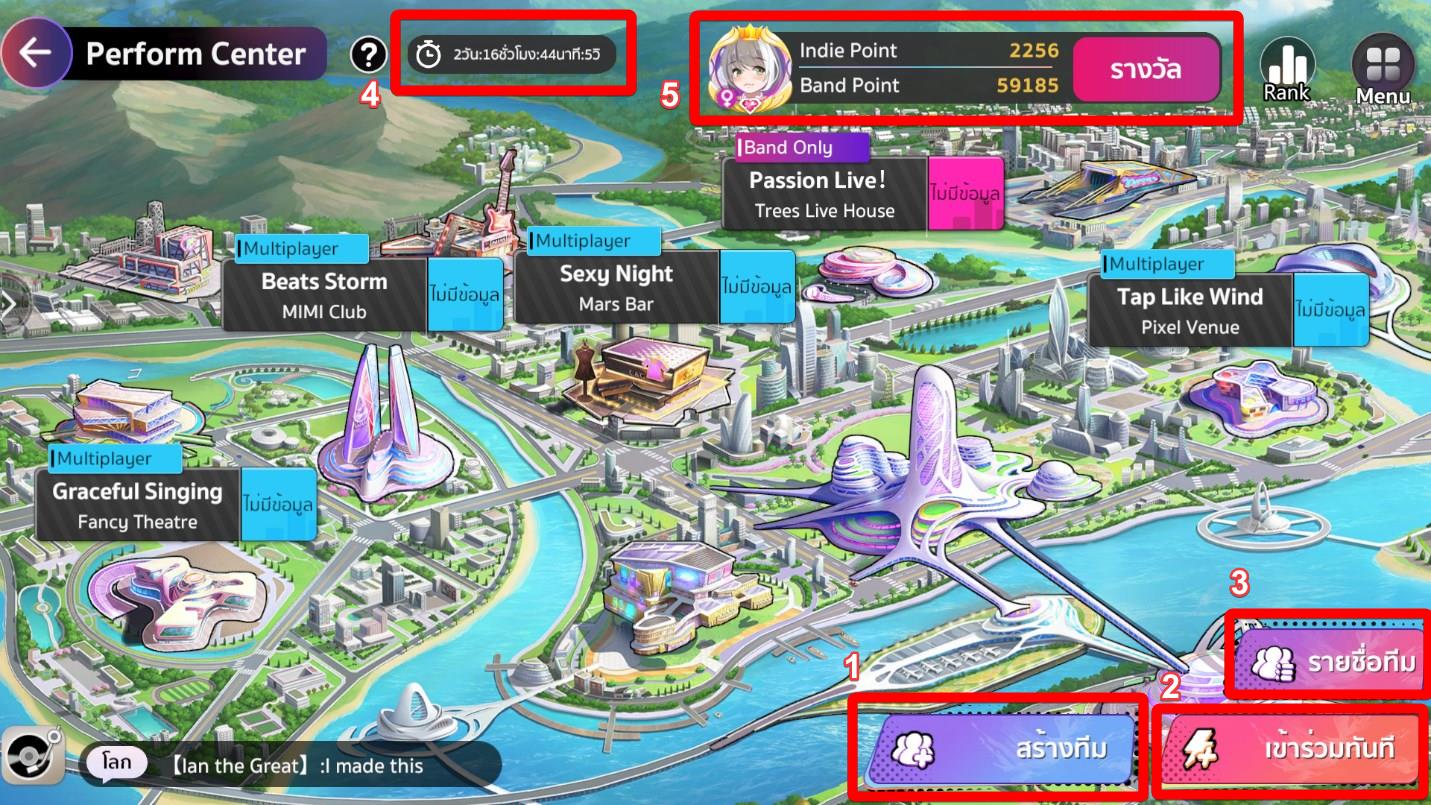
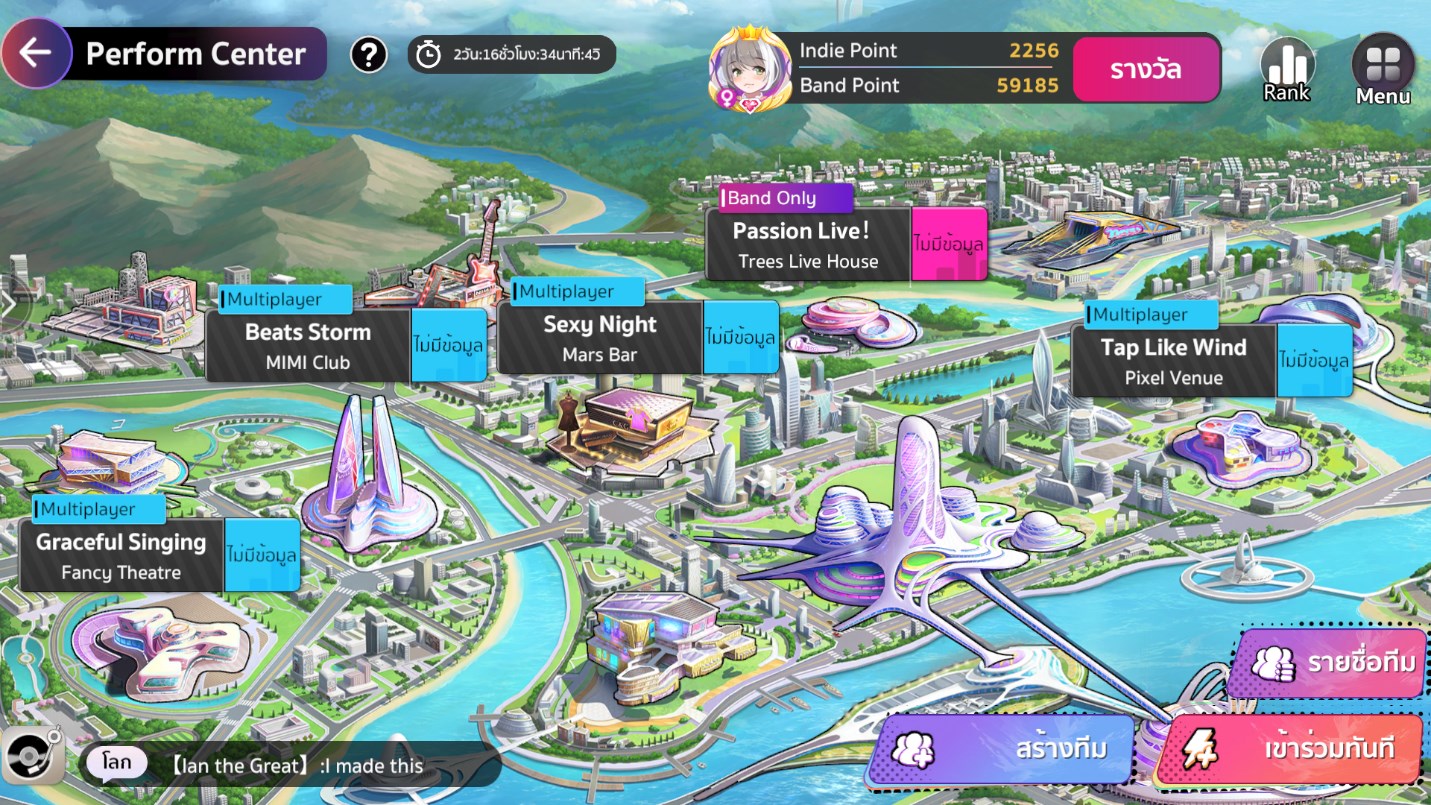
Upon entering, you will be see the following:

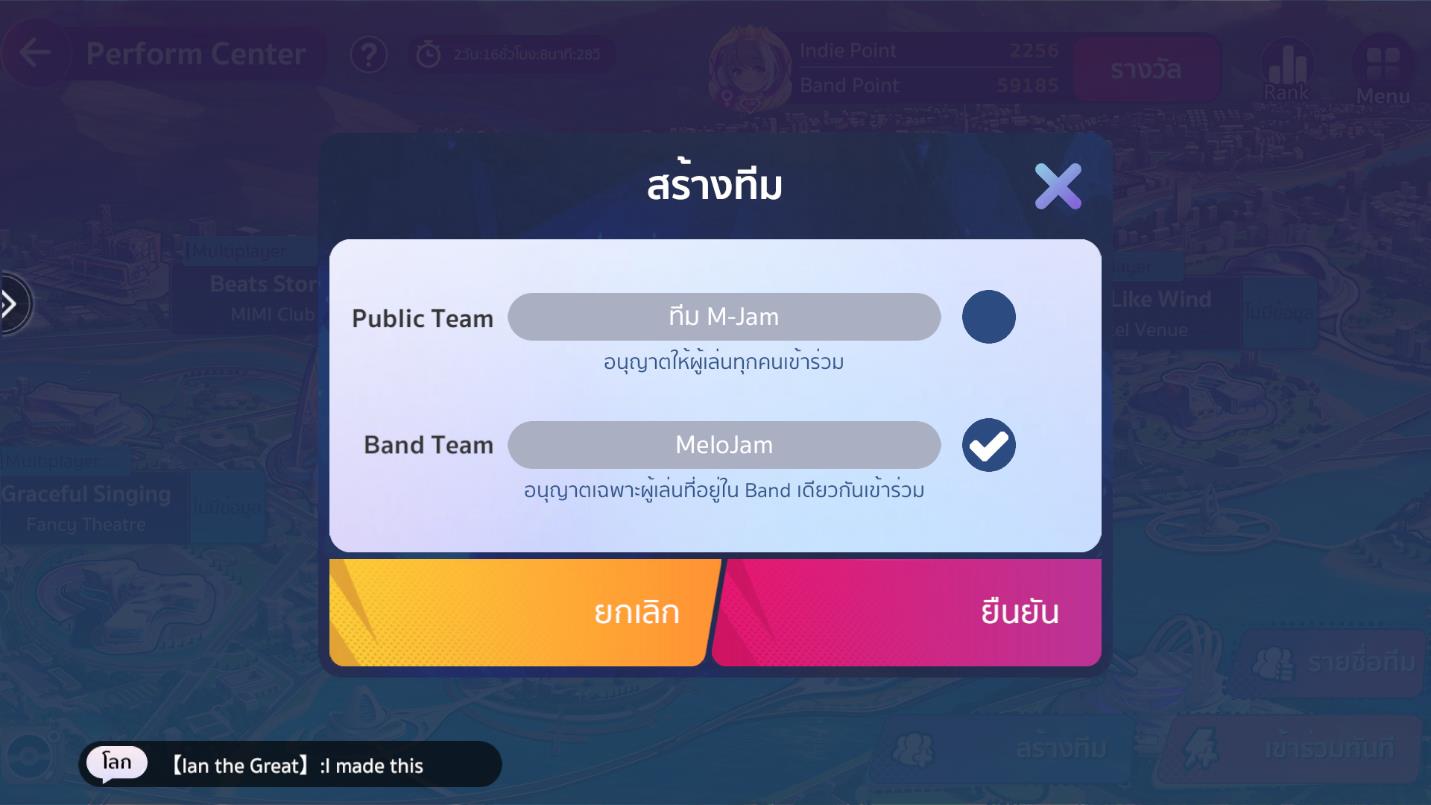
1. Team Creation – Friends can create two types of teams: Public Team and Band Team

2. Join Immediately – This button allows players to join Public Teams only
3. Team List – This list displays all currently created teams for Perform Center gameplay.
4. Remaining Activity Time – This section indicates the time remaining for the current activity.
5. Score Details – This section displays individual Indie Point (Indie Point) and Band Point (Band Point) scores. Band Points are shared among all members of the Band.

Take on Daily Missions with Diverse Challenges and Rewards
Each day, you and your friends will encounter a variety of randomly generated missions, each with unique conditions and songs. These missions are categorized into two types:
1. Multiplayer – Public teams can be created and players can join them immediately without having to be in the same Band. This applies to blue missions.
2. Band Limit – This mission requires the creation of a Band Team, and team members must be in the same Band to join. This applies to purple missions.

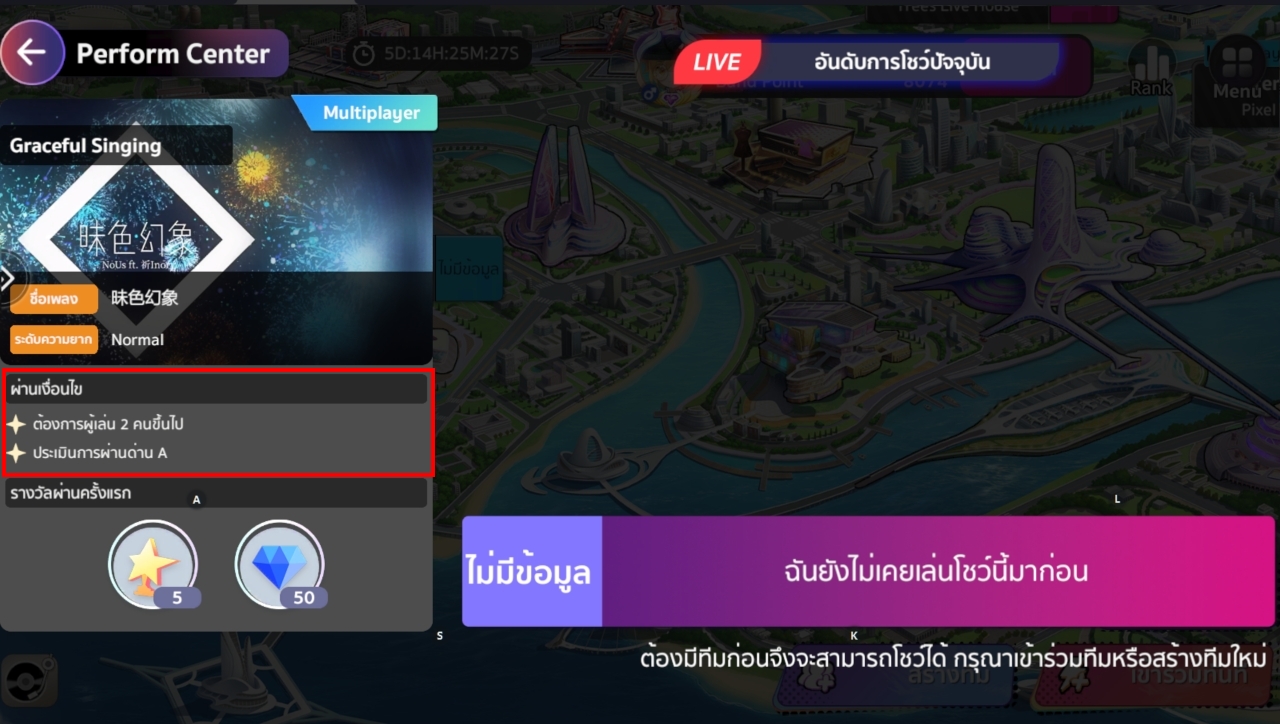
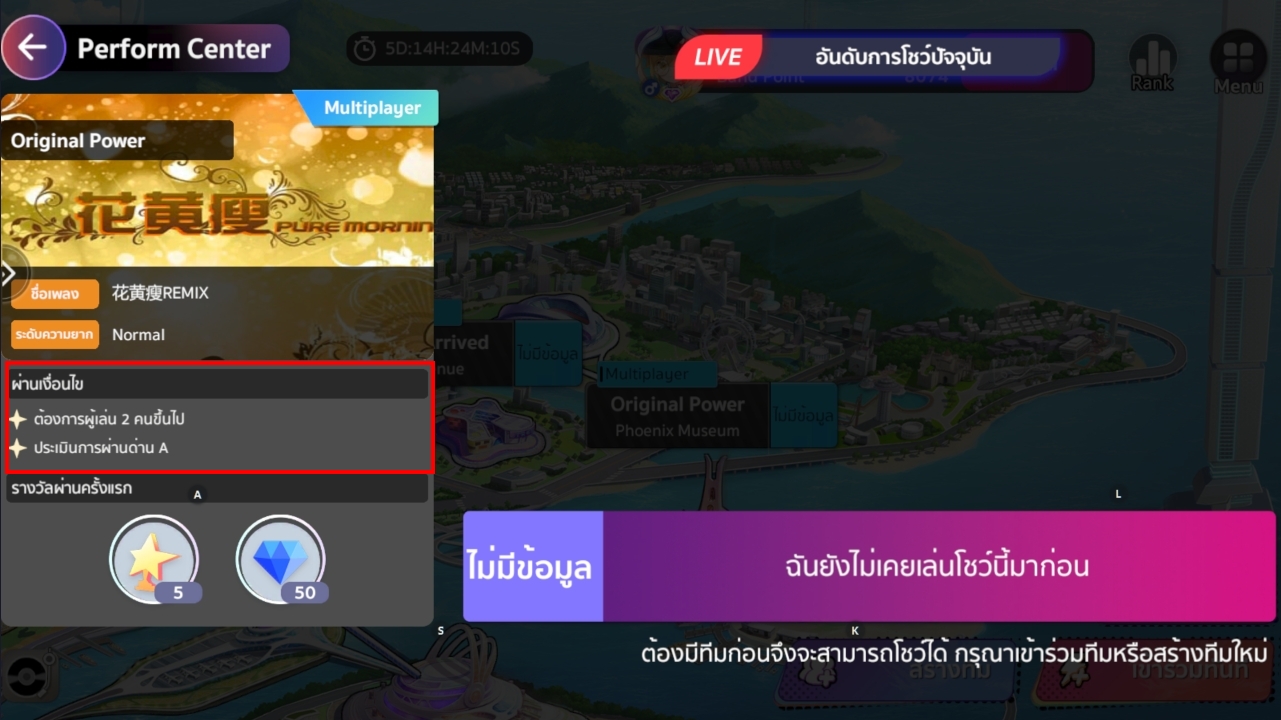
Each level has different stage clear conditions.

After passing the stage , the team’s score rankings will be displayed at that checkpoint.

    • Notes:
      – Every day at 06:00 AM (GMT+7), the checkpoints will refresh. Players can form teams to enter different checkpoints.
      – Rewards will be refreshed every Monday at 06:00 AM (GMT+7).

Published on 8 Aug 2024
by MeloJam Team